Script Events
Introduction
This guide provides a breakdown of Lens Events available from the Script component's Inspector panel. Events can be selected from the event dropdown in the Script Component. Scripts are triggered by assigning them to these events.
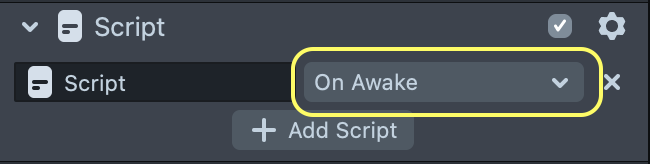
The Script Component's Event selection field
To learn more about how to create scripts and connect them to Lens Events, please visit the Scripting Overview guide.
Lens Events
Scripts added to a Script Component can be bound to a number of events in Lens Studio's Inspector panel. We've broken down the events into four categories: Scene, Camera, Touch and Other.
For a technical reference of all Lens Events, please visit the Events API Reference.
Scene Events
These events are tied to the timing and execution of the Lens Scene.
On Awake
Scripts bound to this event will trigger before any other event in the Lens (including OnStartEvent and Frame Updated). Also fires immediately on a newly instantiated or copied object.
Scripting API
You can not bind to this event in script. Use the Script component drop down to bind to this event.
On Start
Scripts bound to this event will trigger once when the Lens starts.
Scripting API
Frame Updated
Scripts bound to this event will trigger once on every frame update. This is handy for running code that changes things over time.
Scripting API
Late Update
This event is triggered at the end of every frame, after normal UpdateEvents trigger but before rendering occurs. Handy for doing something after other updates are
Scripting API
Face Events
These events are triggered based on user face actions (e.g. opening or closing the mouth, raising eyebrows).
Brows Frowned
Scripts bound to this event will trigger when a face's eyebrows are lowered.
Scripting API
Brows Raised
Scripts bound to this event will trigger when a face's eyebrows are raised.
Scripting API
Brows Returned To Normal
Scripts bound to this event will trigger when a face's eyebrows are returned to a neutral pose.
Scripting API
Face Found
Scripts bound to this event will trigger when a face enters the video frame.
Scripting API
Face Lost
Scripts bound to this event will trigger when a face leaves the video frame.
Scripting API
Mouth Closed
Scripts bound to this event will trigger when a face's mouth closes.
Scripting API
Mouth Opened
Scripts bound to this event will trigger when a face's mouth opens.
Scripting API
Camera Events
These events are triggered when a change is made to the current device camera.
Switched To Front Camera
Scripts bound to this event will trigger once when the camera is switched to the front (selfie) camera.
Scripting API
Switched To Rear Camera
Scripts bound to this event will trigger once when the camera is switched to the rear (world) camera.
Scripting API
Touch Events
These events are triggered user touch gestures. To use these events, you'll need a Scene Object with a Touch Component. To learn more about how to use the Touch Component, visit the Touch Input guide.
Touch Started
Scripts bound to this event will trigger once when the user starts a Touch gesture.
Scripting API
Touch Moved
Scripts bound to this event will trigger once every frame while the user is moving their finger during a Touch gesture (i.e. dragging their finger).
Scripting API
Touch Ended
Scripts bound to this event will trigger once when the user ends a Touch gesture (i.e. lifts their finger).
Scripting API
Other Events
In addition to the selectable events described above, there are many other events that can be bound in script. To learn more about binding events in script, please visit the section below.
Lens Turned Off
Scripts bound to this event will trigger once when the Lens is exited (if the user switches to another Lens, or closes the Lens carousel).
Scripting API
Delayed Callback
Scripts bound to this event will trigger after a specified amount of time. This event can be used as a countdown timer.
Scripting API
Late Update
Scripts bound to this event will trigger every frame after all other frame update logic is complete.
Scripting API
Manipulate Start
Scripts bound to this event will trigger when the user starts a Manipulate gesture.
Scripting API
Manipulate End
Scripts bound to this event will trigger when the user ends a Manipulate gesture.
Scripting API
Binding Events In Script
You have the option of binding script logic to Lens Events in code, as opposed to the Inspector panel. There are some Lens Events that are unavailable in the Inspector panel, making it necessary to bind in this way.
You can bind a function to a Lens Event as follows:
function printTime(eventData) {
  // Print the elapsed Lens time
  print(getTime().toString());
}
// Bind the function printTime to the event UpdateEvent
var event = script.createEvent('UpdateEvent');
event.bind(printTime);
In this example, the function printTime is bound to the UpdateEvent using a SceneEvent.
To learn more about what the Script Component can do with events, visit the Script Component API Documentation.