Nodes > Inputs > Parameters > Texture 3D Parameter
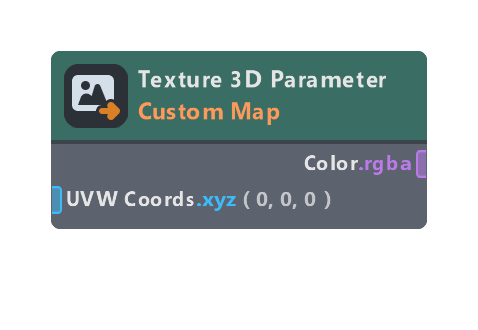
Adds a 3D texture object parameter to the material, and returns the sampled color.
Inputs
| Name | Type | Description |
|---|---|---|
| UVW Coords | float | Coordinates to sample the texture at |
| LOD | float | Which LOD level to sample from. Only works if Mipmaps are enabled in the texture parameters in the material inspector |
Outputs
| Name | Type | Description |
|---|---|---|
| Color | color | Sampled color of the texture |
| Texture Size | float | Dimensions of the texture (width, height, depth), in pixels |
| Pixel Size | float | Width, height and depth of a pixel (1/texture size) |
Properties
| Name | Type | Description |
|---|---|---|
| Title | string | Title used for this parameter when viewing the Material in the Inspector |
| Script Name | string | Variable name scripts can use to access this parameter through the Material’s mainPass |
| LOD Mode | dropdown | If set to “Auto”, LOD will be handled automatically. If set to “Custom”, the LOD input will be exposed and used instead |
| Expose Size Outputs | bool | If enabled, the Texture Size and Pixel Size output ports will be exposed |
| Group | string | If not empty, specifies the parameter group this parameter is shown in |
| Sort Index | int | Specifies the order this should be listed relative to other parameters |
| Tooltip | string | Tooltip message shown on mouse hover |
Was this page helpful?