Connected Framework
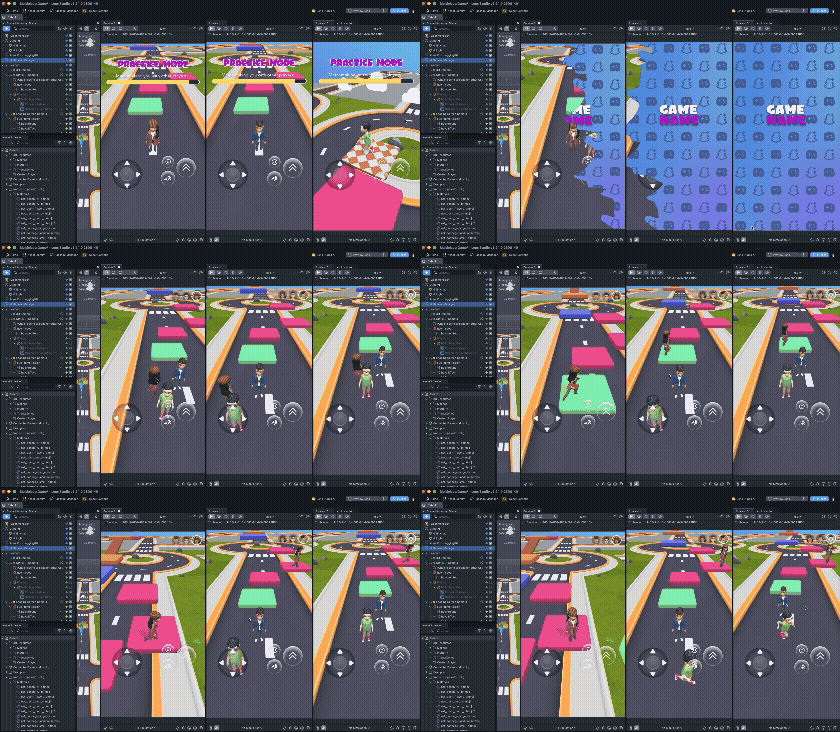
The Connected Framework is a multiplayer kit for building Multiplayer game Lenses on Snapchat. It builds on Connected Lenses and handles the networking layer: sessions, state synchronization, and player lifecycle, so you can focus on gameplay.
What the framework provides
- Session management: create and join shared sessions, track who's in the match, and react as players connect and leave. See Session Controller.
- Synced entities: declare the objects that matter to gameplay and the framework keeps their state consistent for every participant. See Sync Entity.
- Storage properties: sync individual values, such as scores, positions, and game phase, with configurable ownership and persistence. See Storage Property.
- Player instantiation: spawn a representation of each participant, such as a 3D Bitmoji avatar, as they join the session. See Instantiator and Network Spawner.
How the pieces fit together
One component drives everything: Multiplayer Manager. Add it to your scene,
give it a ConnectedLensModule asset, and it configures the session and moves
the Lens through singleplayer, matchmaking, and multiplayer states.
Everything else attaches to that session:
| Layer | What it does |
|---|---|
| Multiplayer Manager | Scene component. Configures matchmaking and owns the connection lifecycle. |
| Session Controller | Scripting API. The session itself: users, host, server time, realtime stores. |
| Sync Entity | Scripting API. Binds one script to one networked store, with ownership and events. |
| Storage Property | Scripting API. One synced value, with automatic or manual change detection. |
| Instantiator / Network Spawner | Scene components. Spawn prefabs across every client. |
| Sync Transform / Sync Materials / Sync Realtime Store | Scene components. Drop-in syncing for common cases, no scripting required. |
| Sync Helpers | Scene components. Small utilities for enabling objects and debugging. |
| Best Practices | Session lifecycle, clean state between matches, and how to test matchmaking. |
If you want the shortest path to a working game, start from the Multiplayer Game Starter Project, which already wires all of this together.
Asset Library components
The framework ships with ready-made components in the Asset Library that cover the moments every multiplayer game needs:
| Component | What it does | |
|---|---|---|
 | Game Manager | A ready-made game state machine: loading, main menu, gameplay, spectator, win, and error states. See it wired up in the starter project. |
 | Event Feed | An on-screen feed of session events, such as players joining, leaving, and wins. |
 | Presence Indicator | Shows who's in the session and each player's connection status. |
 | Sync Tween | Tween animations that stay synchronized across every client. |
Setup
If you are adding the Connected Framework from the Asset Library:
- Add the prefab. Drag and drop the Examples prefab into the Scene Hierarchy.
- Add a reference to
ConnectedLensModule. Create aConnectedLensModuleasset and reference it in Multiplayer Manager.
You are now ready to start building.
The Connected Framework shares its core class names with
Spectacles Sync Kit:
SessionController, SyncEntity, StorageProperty, and the sync helper components
behave the same way. These pages are the Snapchat reference. Use them rather than the
Spectacles pages when you are building a Lens for Snapchat, because the matchmaking
and singleplayer behavior described here is Snapchat-specific.
Availability
The Connected Framework is publicly available starting with Lens Studio 5.24. Install it from the Asset Library, or start from the Multiplayer Game Starter Project, which ships with the framework wired in.
Related
- Multiplayer: what the format is and why it works on Snapchat.
- Multiplayer Game Starter Project: a complete game to build from.
- Connected Lenses Overview
- Sharing Data