Multiplayer Game Starter Project
A complete, playable Multiplayer game built on the Connected Framework. Players race across a 3D course as their own Bitmoji, and the first to reach the finish ends the round.
It is the whole shape of a shipped multiplayer Lens: matchmaking, a state machine, player spawning, spectator mode, an event feed, a results screen, error states, and a next-match loop. Reskin the level and you have your own game.
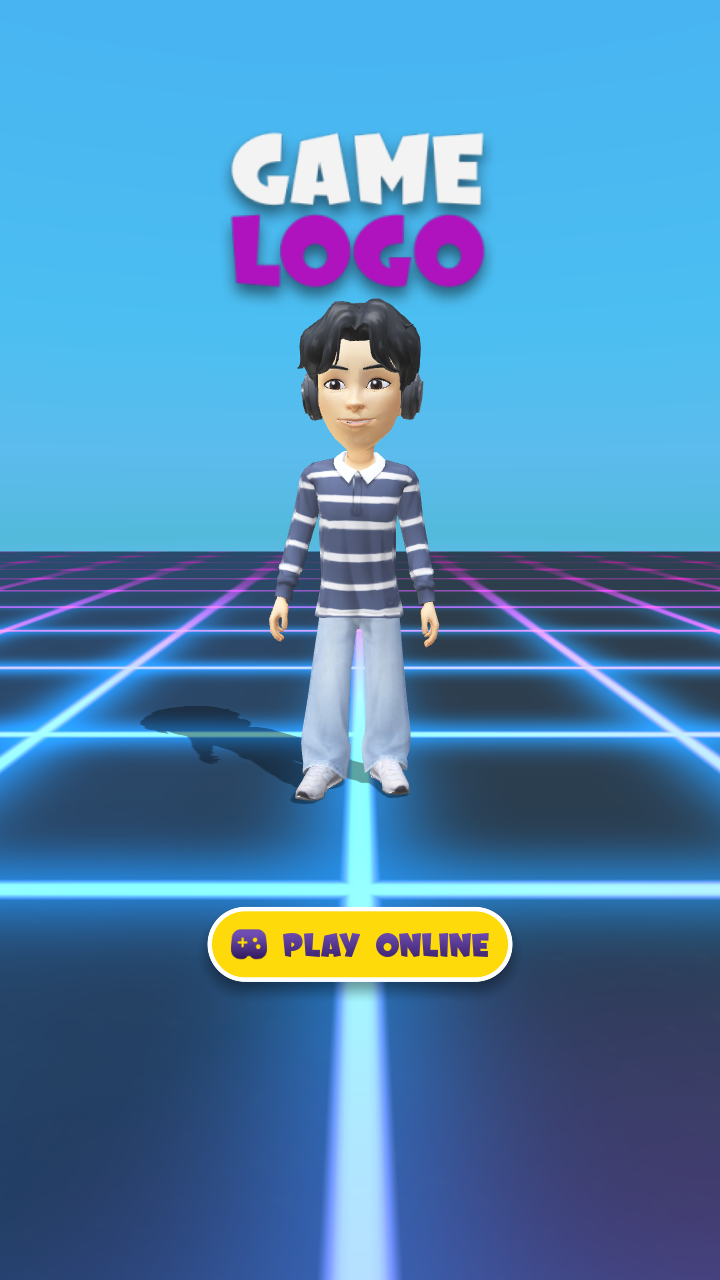
The main menu: the player's own Bitmoji under a placeholder game logo, with Play Online starting matchmaking.
Install the Multiplayer Game template from the Lens Studio Home Page.
What you get
- Matchmaking, configured. 2 to 4 players, with a target of 2 so test matches fill quickly.
- A full game-state machine, including every error state a real Lens needs.
- Runtime player spawning. Each player's Bitmoji is instantiated across the network as they join.
- Spectator mode, one tap away with the Switch to Spectator button.
- An event feed that announces joins and leaves.
- A results screen with the winner's Bitmoji, plus a next-match countdown.
- A level marked for you to replace, and a debug camera marked for you to turn off.
Project Structure
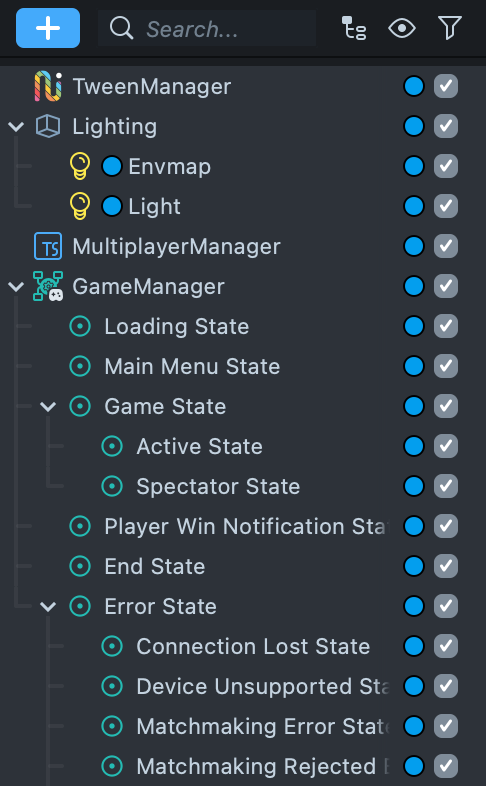
Multiplayer Manager
At the scene root. This is the Connected Framework entry point, and everything else depends on it. The template ships configured as:
| Setting | Value |
|---|---|
| Min Players | 2 |
| Max Players | 4 |
| Target Players | 2 |
| Retry Attempts | 3 |
| Singleplayer Mode | Mocked Online |
| Disconnect Behavior | Keep current state |
| Auto Start If Chat Drawer | true |
| Editor Session Type | Matchmaking |
See Multiplayer Manager for what each input does.
Game Manager
The state machine. Each state is a child object, and the states are the ones a real multiplayer Lens needs rather than a happy path:
- Loading State
- Main Menu State
- Game State, with Active State and Spectator State
- Player Win Notification State
- End State
- Error State, with Connection Lost, Matchmaking Error, Matchmaking Rejected By User, and No Match Found
Four error states is the part worth copying even if you throw the rest away. Each one is a screen a player will eventually see.
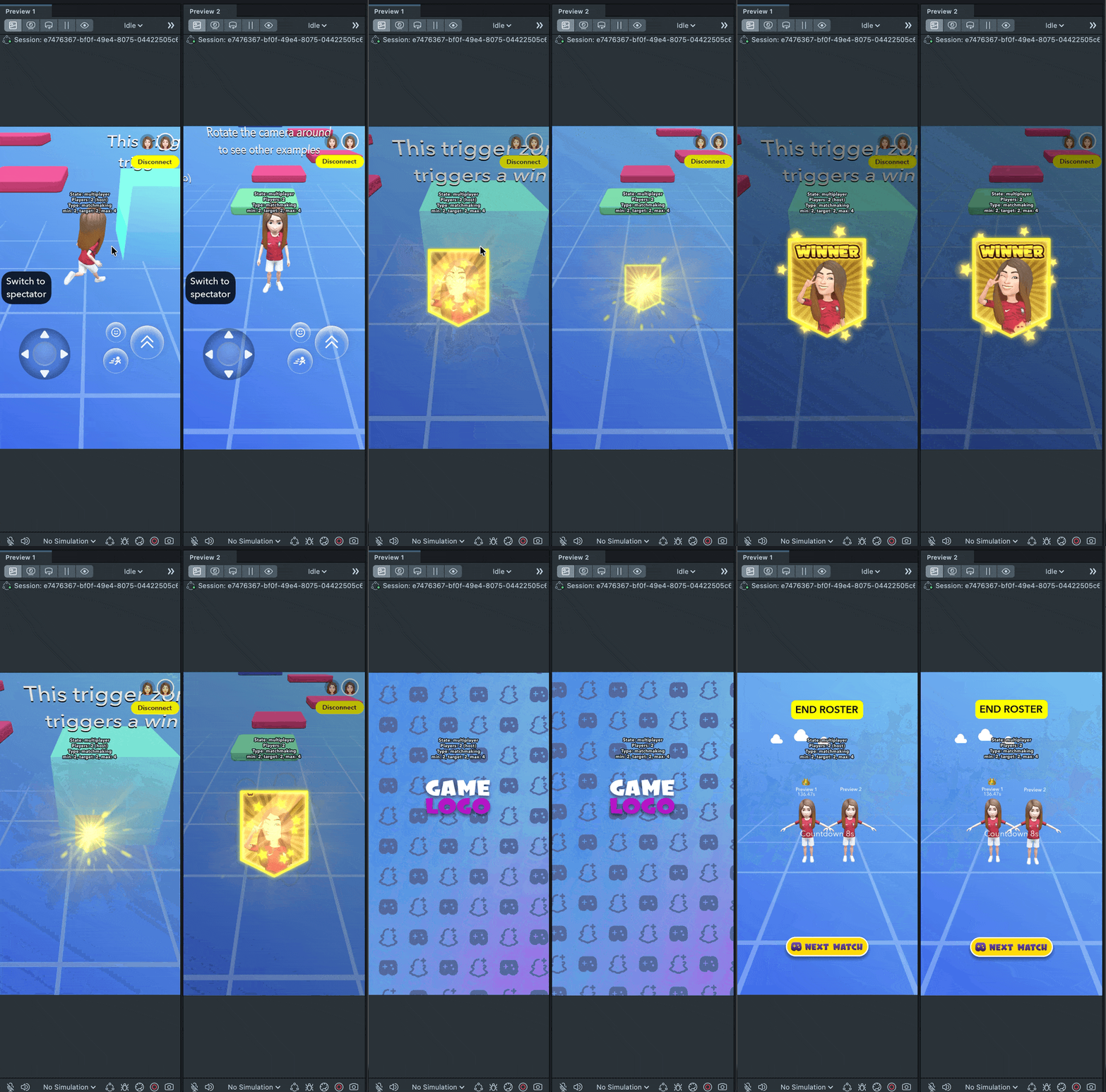
The Player Win Notification state in action: when a player reaches the finish, the session announces who won before moving to the results screen.
Scripts
Long-lived logic, outside any single state:
| Object | What it does |
|---|---|
GameStatesSynchronizer | Propagates state switches to every client. |
GameStateController | Drives the state machine and handles connection failures. |
Instantiator | The Instantiator that spawns and synchronizes prefabs, like the player. |
MatchDirector | Host-authoritative match record. Records scores, decides the winner. |
FirstFinisherEndsMatch | The end condition. Ends the round on the first finish. |
BitmojiRegistry | Tracks each player's Bitmoji. |
EventFeed → NetworkEventsGenerator | Posts join and leave messages to the feed. |
CachingRemoteAssetLoader | Loads and caches remote assets. |
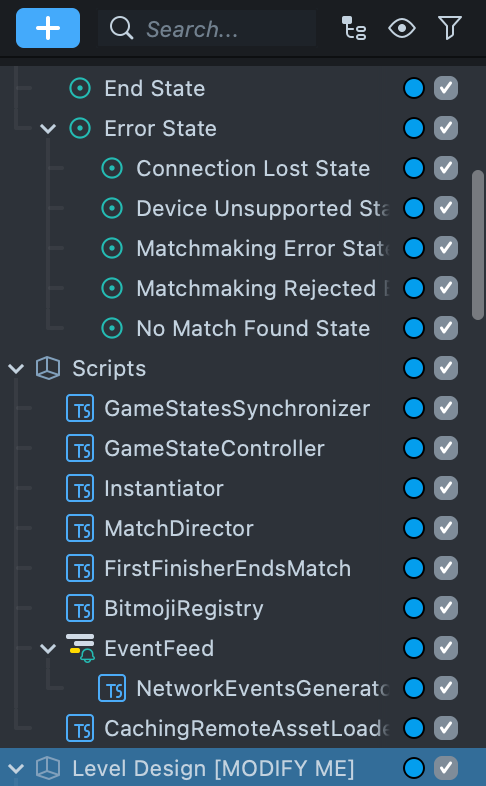
Level Design [MODIFY ME]
The object name is the instruction. This is the part you replace:
- Skybox
- Stage, with Ground Plane and Grid
- Game Area, with Respawn Point, Trigger Zones, and Moving Platform [Example]
Debug Camera [DISABLE ME]
Also named for the action. It renders Matchmaking Debug Info over the Lens.
Other objects
Sounds (Win, Fall, Match Found, Transition Enter, Transition Leave), 3D Camera, Static UI Camera (which parents the Event Feed), Loading Screen Camera, Transition, Lighting, and TweenManager.
How Gameplay Works
- The Lens opens into the Loading State, then the Main Menu.
- The player starts a match.
MultiplayerManager.playOnline()runs matchmaking, and the matchmaking UI shows progress. - Once enough players are found, the session starts and every client moves into the Game State together.
- Players are spawned at runtime, not placed at edit time. The Instantiator creates a networked store per player and instantiates the Bitmoji player prefab. Because the player object does not exist in the scene at edit time, all character logic lives inside the prefab, and scene-level references such as the respawn point and event feed are passed in from a bridge script on the prefab.
- On spawn, each instance checks whether the local client owns it. The owner gets the character controller, camera, and on-screen controls. Remote instances get neither, and receive position updates over the network instead.
- Falling off the course teleports the player back to the respawn point.
- The first player to reach the finish triggers
FirstFinisherEndsMatch, which has the host switch to the pre-end state.MatchDirectorranks scores as elapsed time, so the lowest score wins. - The results screen reveals the winner's Bitmoji, then a next-match countdown returns players to matchmaking.
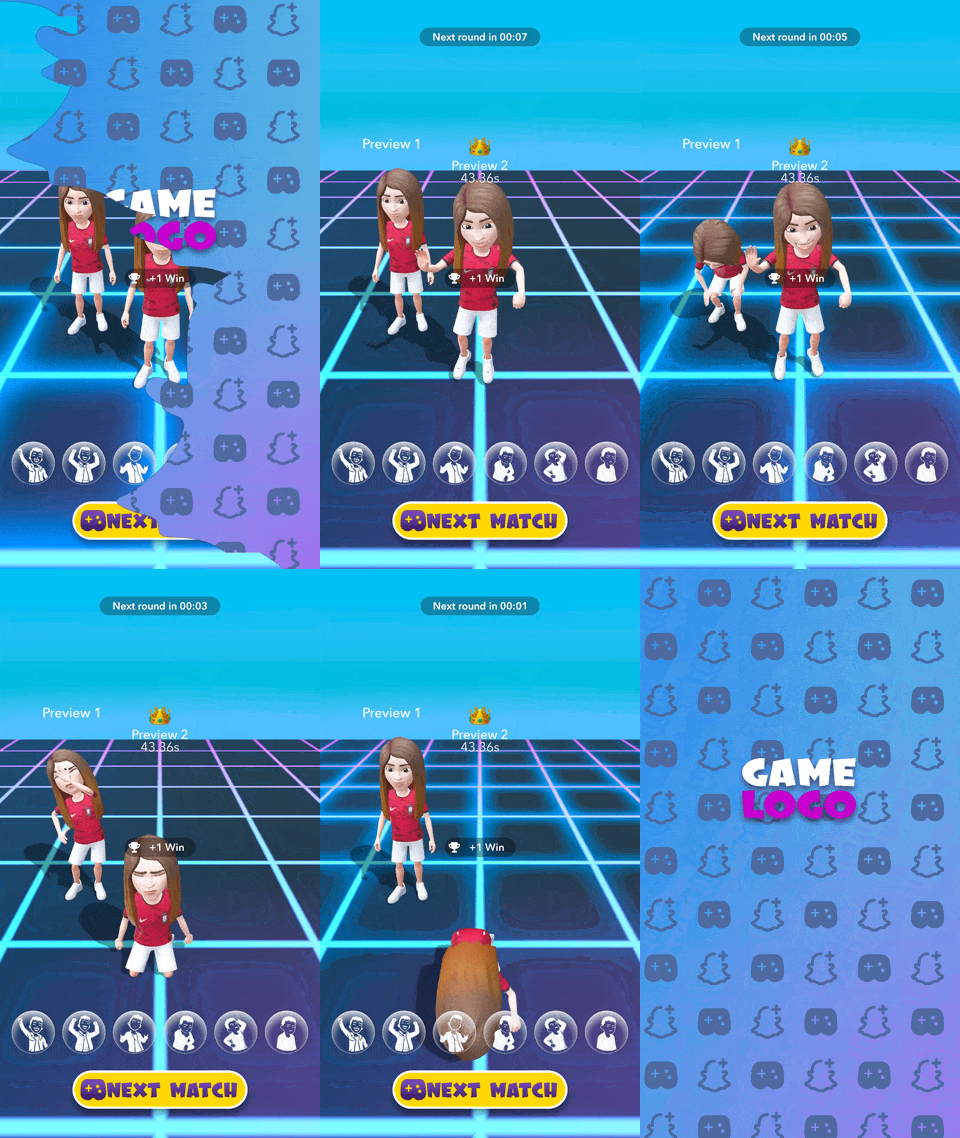
The results screen: the winner's Bitmoji takes the podium with the crown and winning time, reactions line the bottom, and Next Match starts the loop again.
Players can switch to spectating at any time with the Switch to Spectator button.
Customizing the Starter Project
Replace the level. Everything you need to change for a new course is under
Level Design [MODIFY ME]: the ground plane, the trigger zones, and the example
moving platform. The rest of the project does not care what the level looks like.
Change the win condition. FirstFinisherEndsMatch is deliberately small and
self-documenting. Its own source says it plainly:
For a different end condition, like a round timer or waiting for every player to finish, copy this component and change when
endRoundis called. Only one end condition component should be active at a time.
For points instead of time, turn off Lower Score Wins on MatchDirector,
which ranks descending instead of ascending.
Adjust the player count. Min, Max, and Target Players are on Multiplayer
Manager. Target is set to 2 so test matches fill fast; raise it toward Max for
release.
Swap the sounds and transitions. Both are isolated in their own objects.
Disable Debug Camera [DISABLE ME]. It renders matchmaking debug information over the Lens. The starter also ships with verbose framework logging enabled on Multiplayer Manager's Logger Config, which is worth turning down.
Testing with more than one player
Open a second Preview panel. Each panel connects as its own participant, which is enough to reach the minimum of 2 and exercise a real session without a device build. Add a third and fourth panel to fill the lobby.
For the singleplayer path, leave Singleplayer Mode on Mocked Online. The
framework simulates a session so Connected Framework features still work while
disconnected. Note that starting a real session afterwards destroys existing Sync
Entities. Recreate them when the real session starts—the
destroy and re-create pattern
covers this.
Previewing Your Lens
To preview on Snapchat, follow the Pairing to Snapchat guide.
See Also
- Multiplayer—the format and why it works on Snapchat.
- Connected Framework—the networking layer this is built on.
- Multiplayer Manager
- Instantiator and Network Spawner