Nodes > Main > Shader
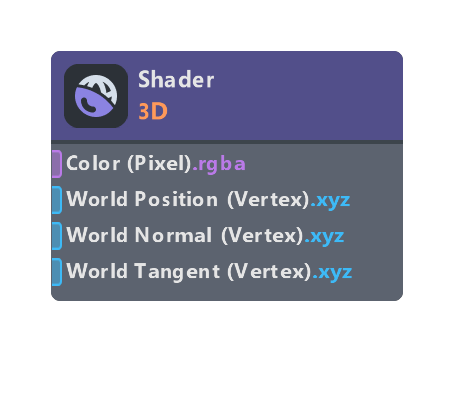
The final output values for the vertex and fragment stages.
Inputs
| Name | Type | Description |
|---|---|---|
| Color (Pixel) | color | Final color output of the fragment shader |
| Depth | float | The depth value that should be output by the fragment shader |
| World Position (Vertex) | float | Final vertex world position to output from the vertex shader |
| World Normal (Vertex) | float | Final normal vector to output from the vertex shader |
| World Tangent (Vertex) | float | Final tangent vector to output from the vertex shader |
| Point Size (Vertex) | float | In Gaussian Splatting mode: Override the size (radius) of the splat, specified in pixels. |
| Scale (Vertex) | float | In Gaussian Splatting mode: Override the Scale attribute of the splat (Object Space) |
| Rotation (Vertex) | float | In Gaussian Splatting mode: Override the Rotation attribute of the splat (Object Space) |
Properties
| Name | Type | Description |
|---|---|---|
| Type | dropdown | If set to post effect, it will skip all world vertex positioning, useful for making screen space shader. If set to Hair, this material must be assigned to a Hair Mesh Visual to be rendered properly. Transforms vertices using data from the Hair Mesh Visual component. |
| Depth | bool | When enabled, allows custom depth values to be set. |
| Depth Mode | dropdown | Depth Mode |
| Prev Frame World Pos Override | bool | When enabled, the Prev Frame World Position (Vertex) input is exposed. This is only needed if your effects need correct motion vectors, such as TAA, and your material is doing non-standard vertex or UV animation, which can cause colors to smear when the automatic motion vector calculation is incorrect. In these cases you need to explicitly calculate the previous frame position and pass it to the shader, so that correct motion vectors can be calculated (for example, current frame position - previous frame position) |
| Motion Vector Pass | dropdown | Controls what the material writes during the motion-vector pass. Write Velocity and Depth: Output both velocity and depth. Discard Velocity but Write Depth: Output depth only, no velocity. Discard Velocity and Depth: Output neither; use for full-screen effects that should not affect motion vectors (for example, to avoid TAA smearing). |
| Allow Negative Colors | bool | If enabled, negative values will be allowed in the final color output |
Was this page helpful?