Examples & User Flows
This guide demonstrates how to implement Commerce Kit in your Spectacles Lens with practical examples and explains the complete user purchase flow from both developer and user perspectives.
User Purchase Flow
Understanding the end-to-end user experience is crucial for implementing commerce features effectively. Here's what happens when a user makes a purchase in your Lens:
1. Product Discovery
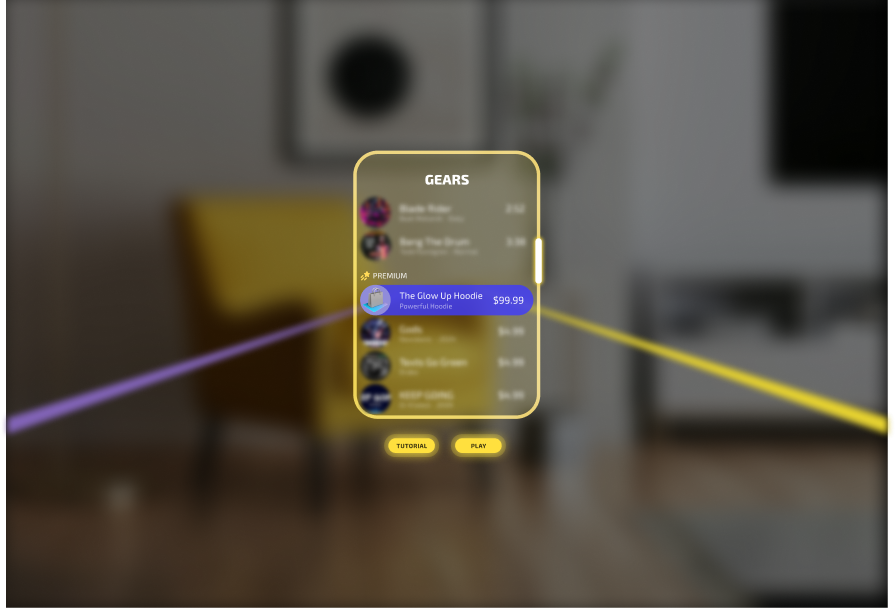
User discovers and taps on a purchase button within the Lens interface.
2. Purchase Initiation
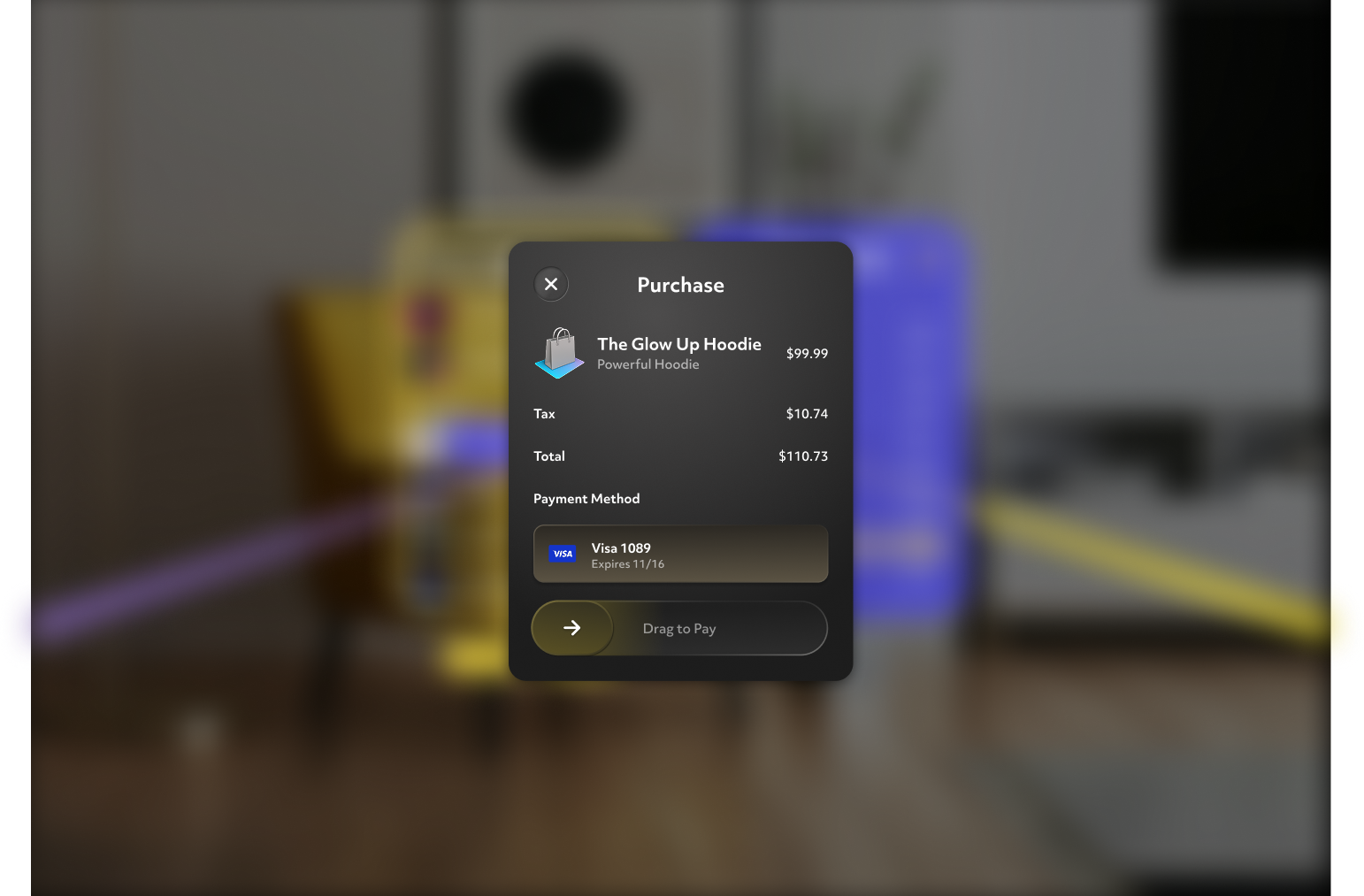
User performs a pinch-and-drag gesture or poke-and-drag gesture to confirm their intent to purchase. During this state, the system UI takes over and the Lens enters a paused state.
3. Payment Authorization
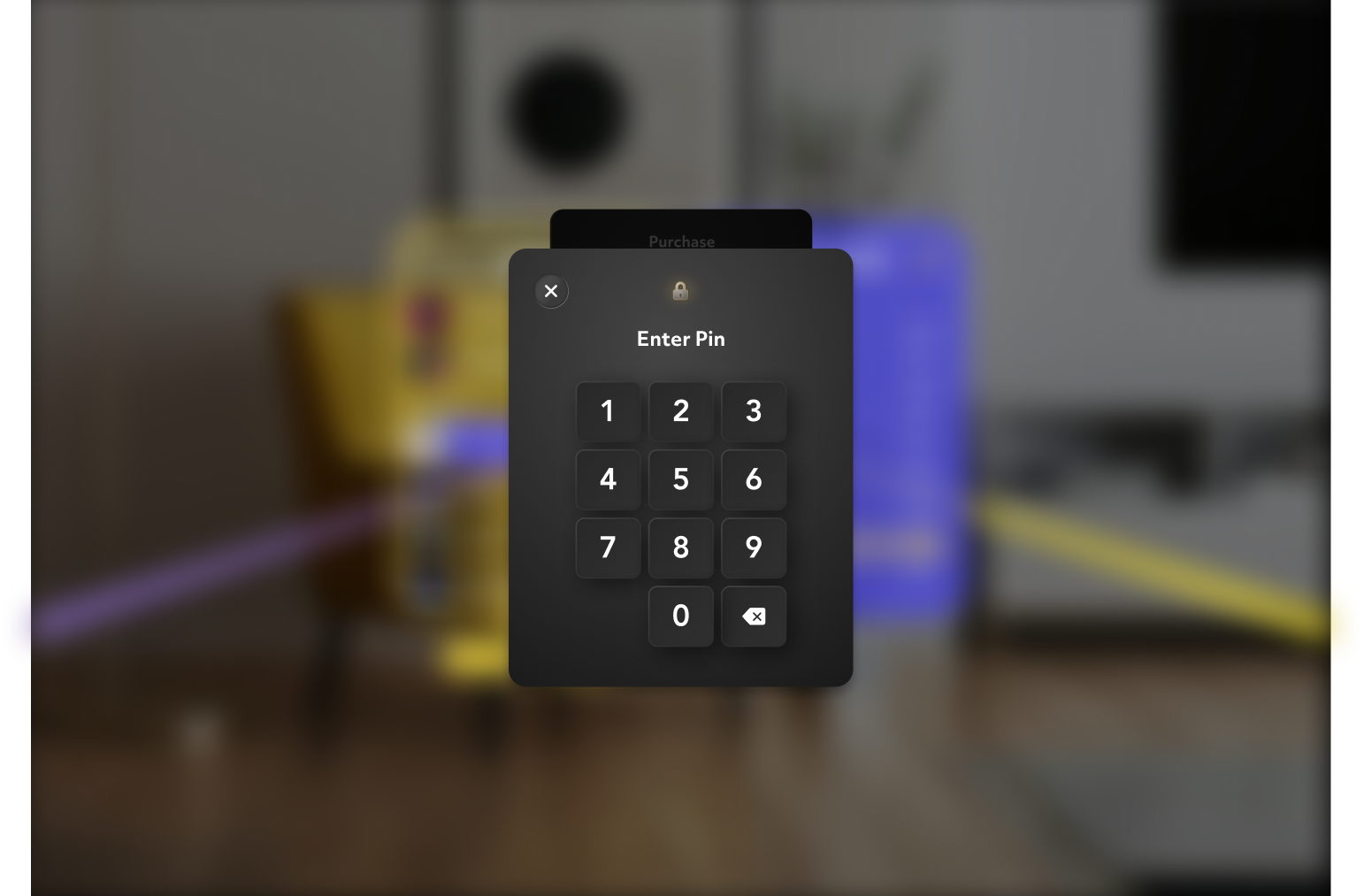
User is prompted to enter their 4-digit PIN to authorize the transaction.
4. Purchase Completion
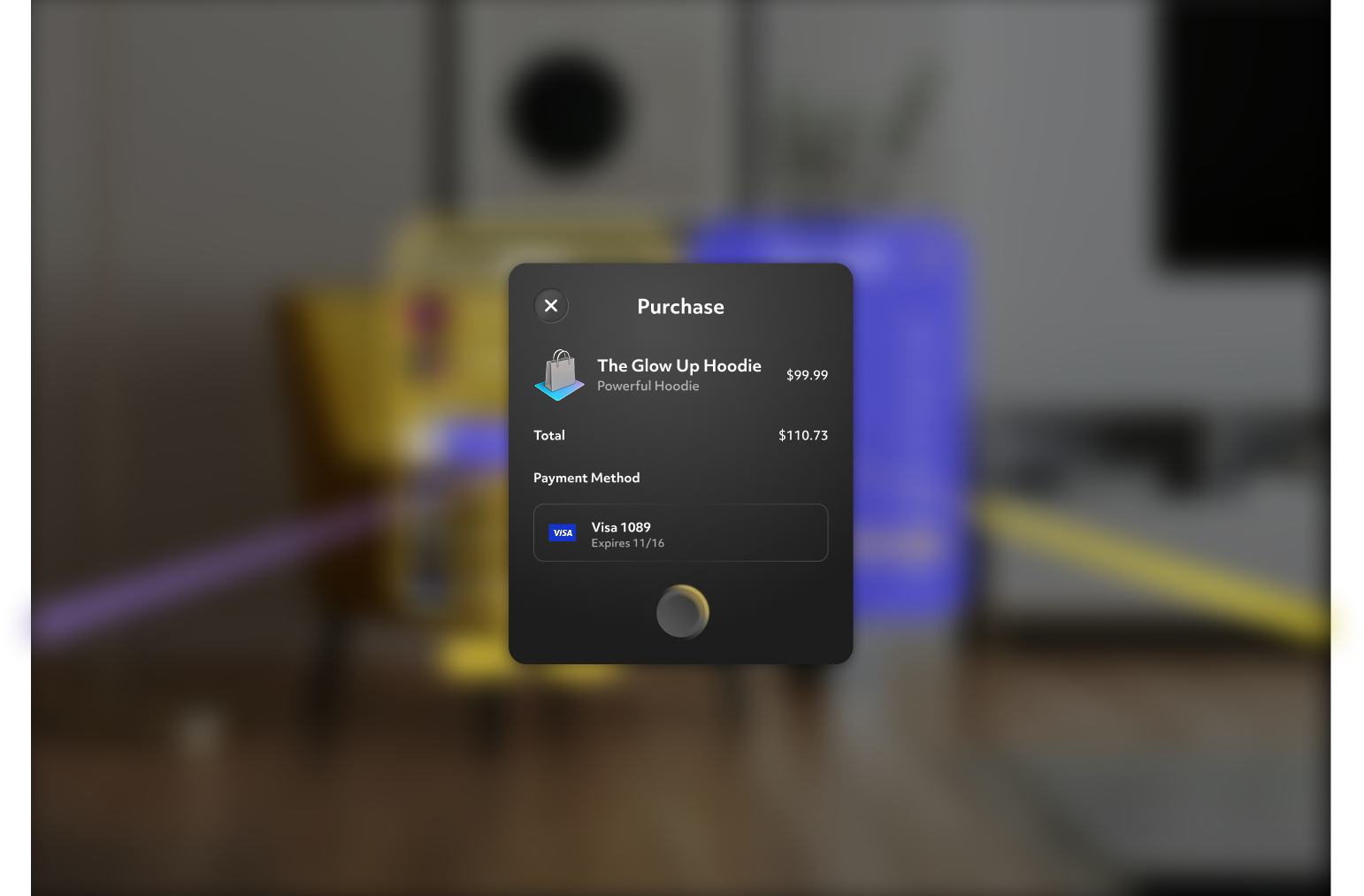
User receives a notification confirming the purchase is complete. The payment dialog closes and the user returns to the developer's Lens experience.
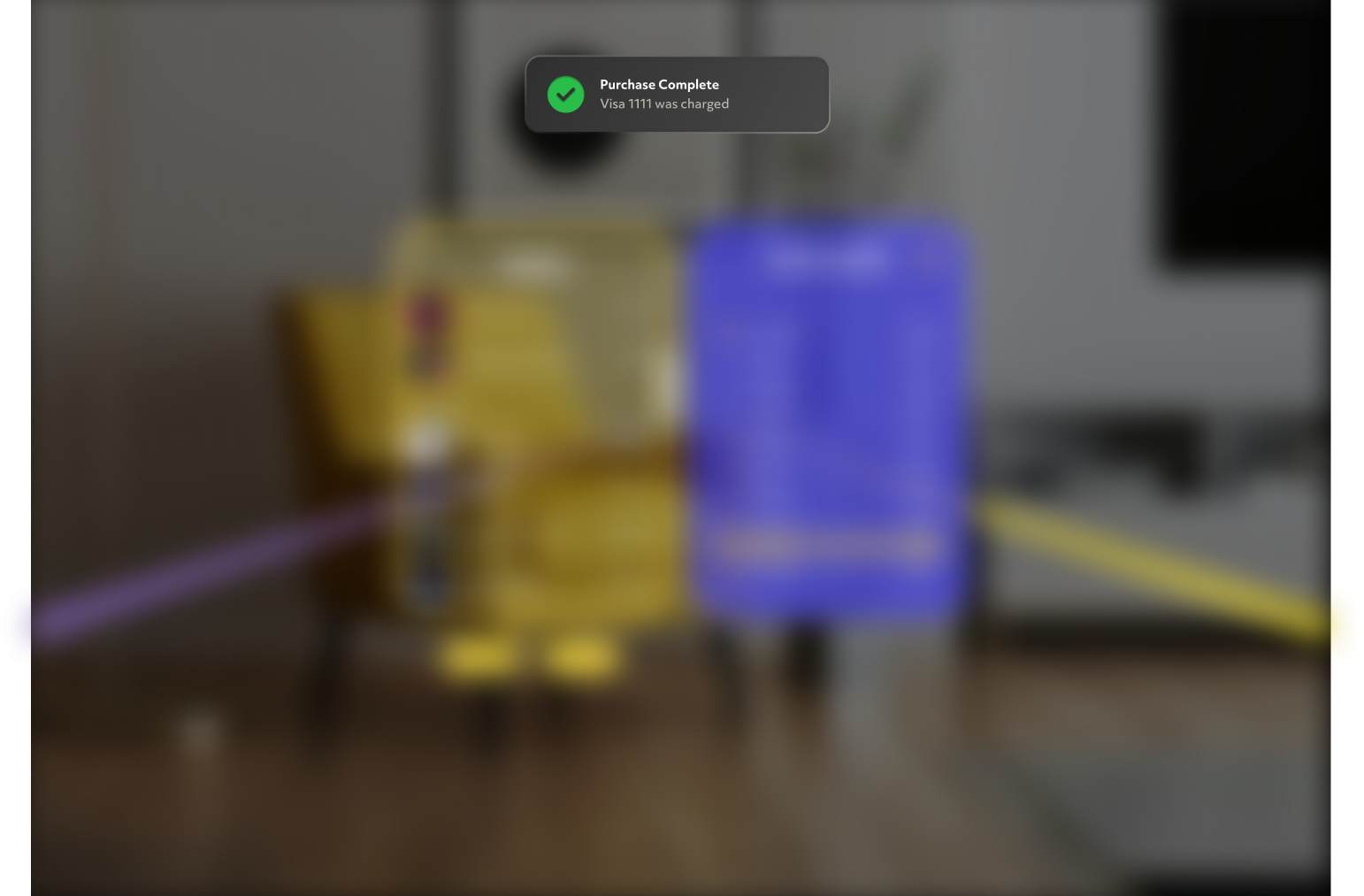
5. Ownership Validation
On subsequent Lens launches, the system automatically validates previous purchases using CommerceKit.isProductOwned(), ensuring previously purchased items remain accessible to the user.
Implementation Examples
Basic Product Setup
First, define your products and initialize the Commerce Kit catalog:
- TypeScript
- JavaScript
import { CommerceKit } from 'CommerceKit.lspkg/CommerceKit';
import { CommercePrice } from 'CommerceKit.lspkg/Helper/CommercePrice';
import { CommerceProduct } from 'CommerceKit.lspkg/Helper/CommerceProduct';

@component
export class CommerceExample extends BaseScriptComponent {
  // Define your product catalog
  productCatalog: CommerceProduct[] = [
    {
      id: 'premium_filter',
      type: 'NonConsumable',
      price: {
        price: 2.99,
        currency: 'USD',
      },
      displayName: 'Premium AR Filter',
      category: 'Unlock exclusive visual effects',
      iconUri: '',
      extras: '',
    },
    {
      id: 'pro_features',
      type: 'NonConsumable',
      price: {
        price: 4.99,
        currency: 'USD',
      },
      displayName: 'Pro Features Pack',
      category: 'Access advanced AR tools and customization',
      iconUri: '',
      extras: '',
    },
  ];

  onAwake() {
    this.initializeCommerce();
  }

  // Initialize Commerce Kit
  async initializeCommerce() {
    try {
      const commerceKit = CommerceKit.getInstance();
      await commerceKit.initializeCatalog(this.productCatalog);
      print('Commerce Kit initialized successfully');
    } catch (error) {
      print('Failed to initialize Commerce Kit: ' + error);
    }
  }
}
var CommerceKit = require('CommerceKit.lspkg/CommerceKit').CommerceKit;

// Define your product catalog
var productCatalog = [
  {
    id: 'premium_filter',
    type: 'NonConsumable',
    price: {
      price: 2.99,
      currency: 'USD',
    },
    displayName: 'Premium AR Filter',
    category: 'Unlock exclusive visual effects',
    iconUri: '',
    extras: '',
  },
  {
    id: 'pro_features',
    type: 'NonConsumable',
    price: {
      price: 4.99,
      currency: 'USD',
    },
    displayName: 'Pro Features Pack',
    category: 'Access advanced AR tools and customization',
    iconUri: '',
    extras: '',
  },
];

// Initialize Commerce Kit
function initializeCommerce() {
  var commerceKit = CommerceKit.getInstance();
  commerceKit
    .initializeCatalog(productCatalog)
    .then(function () {
      print('Commerce Kit initialized successfully');
    })
    .catch(function (error) {
      print('Failed to initialize Commerce Kit: ' + error);
    });
}

// Start initialization
initializeCommerce();
Purchase Implementation
Implement the purchase flow with proper error handling:
- TypeScript
- JavaScript
  async purchaseProduct(productId: string) {
    const commerceKit = CommerceKit.getInstance();

    try {
      // Check if user already owns the product
      const ownership = await commerceKit.isProductOwned(productId);
      if (ownership) {
        print("User already owns this product");
        this.unlockProduct(productId);
        return;
      }

      // Request purchase
      const result = await commerceKit.purchaseProduct(productId);

      if (result.success) {
        this.showPurchaseSuccess(productId);
        this.unlockProduct(productId);
      } else if (result.cancelled) {
        this.showPurchaseError("Purchase cancelled");
      } else if (!result.success) {
        this.showPurchaseError("Purchase failed");
      }
    } catch (error) {
      this.showPurchaseError("An unexpected error occurred: " + error);
    }
  }
  private unlockProduct(productId: string) {
    // Unlock the purchased product features here
    print(`Unlocking features for product: ${productId}`);
    // Example: Enable premium filter or pro features in the app
  }
  private showPurchaseError(message: string) {
    // Implement UI feedback to show purchase error
    print("Purchase Error: " + message);
  }
  private showPurchaseSuccess(productId: string) {
    // Implement UI feedback to show purchase success
    print("Purchase Success for product: " + productId);
  }
var CommerceKit = require('CommerceKit.lspkg/CommerceKit').CommerceKit;

function purchaseProduct(productId) {
  var commerceKit = CommerceKit.getInstance();

  // Check if user already owns the product
  var ownership = commerceKit.isProductOwned(productId);
  if (ownership) {
    print('User already owns this product');
    unlockProduct(productId);
    return;
  }

  // Request purchase
  commerceKit
    .purchaseProduct(productId)
    .then(function (result) {
      if (result.success) {
        showPurchaseSuccess(productId);
        unlockProduct(productId);
      } else if (result.cancelled) {
        showPurchaseError('Purchase cancelled');
      } else if (!result.success) {
        showPurchaseError('Purchase failed');
      }
    })
    .catch(function (error) {
      showPurchaseError('An unexpected error occurred: ' + error);
    });
}

function unlockProduct(productId) {
  // Unlock the purchased product features here
  print('Unlocking features for product: ' + productId);
  // Example: Enable premium filter or pro features in the app
}

function showPurchaseError(message) {
  // Implement UI feedback to show purchase error
  print('Purchase Error: ' + message);
}

function showPurchaseSuccess(productId) {
  // Implement UI feedback to show purchase success
  print('Purchase Success for product: ' + productId);
}
Ownership Validation on Lens Start
Check ownership when your Lens initializes:
- TypeScript
- JavaScript
  async checkUserPurchases() {
    const commerceKit = CommerceKit.getInstance();
    const productIds = ["premium_filter", "pro_features"];

    try {
      await this.commerceKit.client;

      // Check ownership for each product
      for (const productId of productIds) {
        const ownership = commerceKit.isProductOwned(productId);

        if (ownership) {
          print(`User owns product: ${productId}`);
          this.unlockProduct(productId);
        } else {
          print(`User does not own product: ${productId}`);
        }
      }

      print("Ownership check completed");
    } catch (error) {
      print("Ownership check failed: " + error);
    }
  }
var CommerceKit = require('CommerceKit.lspkg/CommerceKit').CommerceKit;

function checkUserPurchases() {
  var commerceKit = CommerceKit.getInstance();
  var productIds = ['premium_filter', 'pro_features'];

  commerceKit.client
    .then(function () {
      // Check ownership for each product
      for (var i = 0; i < productIds.length; i++) {
        var productId = productIds[i];
        var ownership = commerceKit.isProductOwned(productId);

        if (ownership) {
          print('User owns product: ' + productId);
          unlockProduct(productId);
        } else {
          print('User does not own product: ' + productId);
        }
      }

      print('Ownership check completed');
    })
    .catch(function (error) {
      print('Ownership check failed: ' + error);
    });
}
Complete Commerce-Enabled Scene Setup
Here's a complete example showing how to set up a scene with purchasable content:
- TypeScript
- JavaScript
import { CommerceKit } from 'CommerceKit.lspkg/CommerceKit';
import { CommercePrice } from 'CommerceKit.lspkg/Helper/CommercePrice';
import { CommerceProduct } from 'CommerceKit.lspkg/Helper/CommerceProduct';

@component
export class CommerceExample extends BaseScriptComponent {
  // Define your product catalog
  productCatalog: CommerceProduct[] = [
    {
      id: 'premium_filter',
      type: 'NonConsumable',
      price: {
        price: 2.99,
        currency: 'USD',
      },
      displayName: 'Premium AR Filter',
      category: 'Unlock exclusive visual effects',
      iconUri: '',
      extras: '',
    },
    {
      id: 'pro_features',
      type: 'NonConsumable',
      price: {
        price: 4.99,
        currency: 'USD',
      },
      displayName: 'Pro Features Pack',
      category: 'Access advanced AR tools and customization',
      iconUri: '',
      extras: '',
    },
  ];

  onAwake() {
    this.initializeCommerce();
    this.createEvent('OnStartEvent').bind(() => {
      this.checkUserPurchases();
    });
  }

  // Initialize Commerce Kit
  async initializeCommerce() {
    try {
      const commerceKit = CommerceKit.getInstance();
      await commerceKit.initializeCatalog(this.productCatalog);
      print('Commerce Kit initialized successfully');
    } catch (error) {
      print('Failed to initialize Commerce Kit: ' + error);
    }
  }
  async purchaseProduct(productId: string) {
    const commerceKit = CommerceKit.getInstance();

    try {
      // Check if user already owns the product
      const ownership = await commerceKit.isProductOwned(productId);
      if (ownership) {
        print('User already owns this product');
        this.unlockProduct(productId);
        return;
      }

      // Request purchase
      const result = await commerceKit.purchaseProduct(productId);

      if (result.success) {
        this.showPurchaseSuccess(productId);
        this.unlockProduct(productId);
      } else if (result.cancelled) {
        this.showPurchaseError('Purchase cancelled');
      } else if (!result.success) {
        this.showPurchaseError('Purchase failed');
      }
    } catch (error) {
      this.showPurchaseError('An unexpected error occurred: ' + error);
    }
  }
  private unlockProduct(productId: string) {
    // Unlock the purchased product features here
    print(`Unlocking features for product: ${productId}`);
    // Example: Enable premium filter or pro features in the app
  }
  private showPurchaseError(message: string) {
    // Implement UI feedback to show purchase error
    print('Purchase Error: ' + message);
  }
  private showPurchaseSuccess(productId: string) {
    // Implement UI feedback to show purchase success
    print('Purchase Success for product: ' + productId);
  }

  async checkUserPurchases() {
    const commerceKit = CommerceKit.getInstance();
    const productIds = ['premium_filter', 'pro_features'];

    try {
      await this.commerceKit.client;

      // Check ownership for each product
      for (const productId of productIds) {
        const ownership = commerceKit.isProductOwned(productId);

        if (ownership) {
          print(`User owns product: ${productId}`);
          this.unlockProduct(productId);
        } else {
          print(`User does not own product: ${productId}`);
        }
      }

      print('Ownership check completed');
    } catch (error) {
      print('Ownership check failed: ' + error);
    }
  }
}
var CommerceKit = require('CommerceKit.lspkg/CommerceKit').CommerceKit;

// Define your product catalog
var productCatalog = [
  {
    id: 'premium_filter',
    type: 'NonConsumable',
    price: {
      price: 2.99,
      currency: 'USD',
    },
    displayName: 'Premium AR Filter',
    category: 'Unlock exclusive visual effects',
    iconUri: '',
    extras: '',
  },
  {
    id: 'pro_features',
    type: 'NonConsumable',
    price: {
      price: 4.99,
      currency: 'USD',
    },
    displayName: 'Pro Features Pack',
    category: 'Access advanced AR tools and customization',
    iconUri: '',
    extras: '',
  },
];

// Initialize on script start
initializeCommerce();
script.createEvent('OnStartEvent').bind(function () {
  checkUserPurchases();
});

// Initialize Commerce Kit
function initializeCommerce() {
  var commerceKit = CommerceKit.getInstance();
  commerceKit
    .initializeCatalog(productCatalog)
    .then(function () {
      print('Commerce Kit initialized successfully');
    })
    .catch(function (error) {
      print('Failed to initialize Commerce Kit: ' + error);
    });
}

function purchaseProduct(productId) {
  var commerceKit = CommerceKit.getInstance();

  // Check if user already owns the product
  var ownership = commerceKit.isProductOwned(productId);
  if (ownership) {
    print('User already owns this product');
    unlockProduct(productId);
    return;
  }

  // Request purchase
  commerceKit
    .purchaseProduct(productId)
    .then(function (result) {
      if (result.success) {
        showPurchaseSuccess(productId);
        unlockProduct(productId);
      } else if (result.cancelled) {
        showPurchaseError('Purchase cancelled');
      } else if (!result.success) {
        showPurchaseError('Purchase failed');
      }
    })
    .catch(function (error) {
      showPurchaseError('An unexpected error occurred: ' + error);
    });
}

function unlockProduct(productId) {
  // Unlock the purchased product features here
  print('Unlocking features for product: ' + productId);
  // Example: Enable premium filter or pro features in the app
}

function showPurchaseError(message) {
  // Implement UI feedback to show purchase error
  print('Purchase Error: ' + message);
}

function showPurchaseSuccess(productId) {
  // Implement UI feedback to show purchase success
  print('Purchase Success for product: ' + productId);
}

function checkUserPurchases() {
  var commerceKit = CommerceKit.getInstance();
  var productIds = ['premium_filter', 'pro_features'];

  commerceKit.client
    .then(function () {
      // Check ownership for each product
      for (var i = 0; i < productIds.length; i++) {
        var productId = productIds[i];
        var ownership = commerceKit.isProductOwned(productId);

        if (ownership) {
          print('User owns product: ' + productId);
          unlockProduct(productId);
        } else {
          print('User does not own product: ' + productId);
        }
      }

      print('Ownership check completed');
    })
    .catch(function (error) {
      print('Ownership check failed: ' + error);
    });
}