
Databases
This guide will show you how to configure and access a simple database. Before proceeding, first set up your project as per the Getting Started guide.
For full reference documentation refer to the Snap Cloud documentation site.
Configure the Database
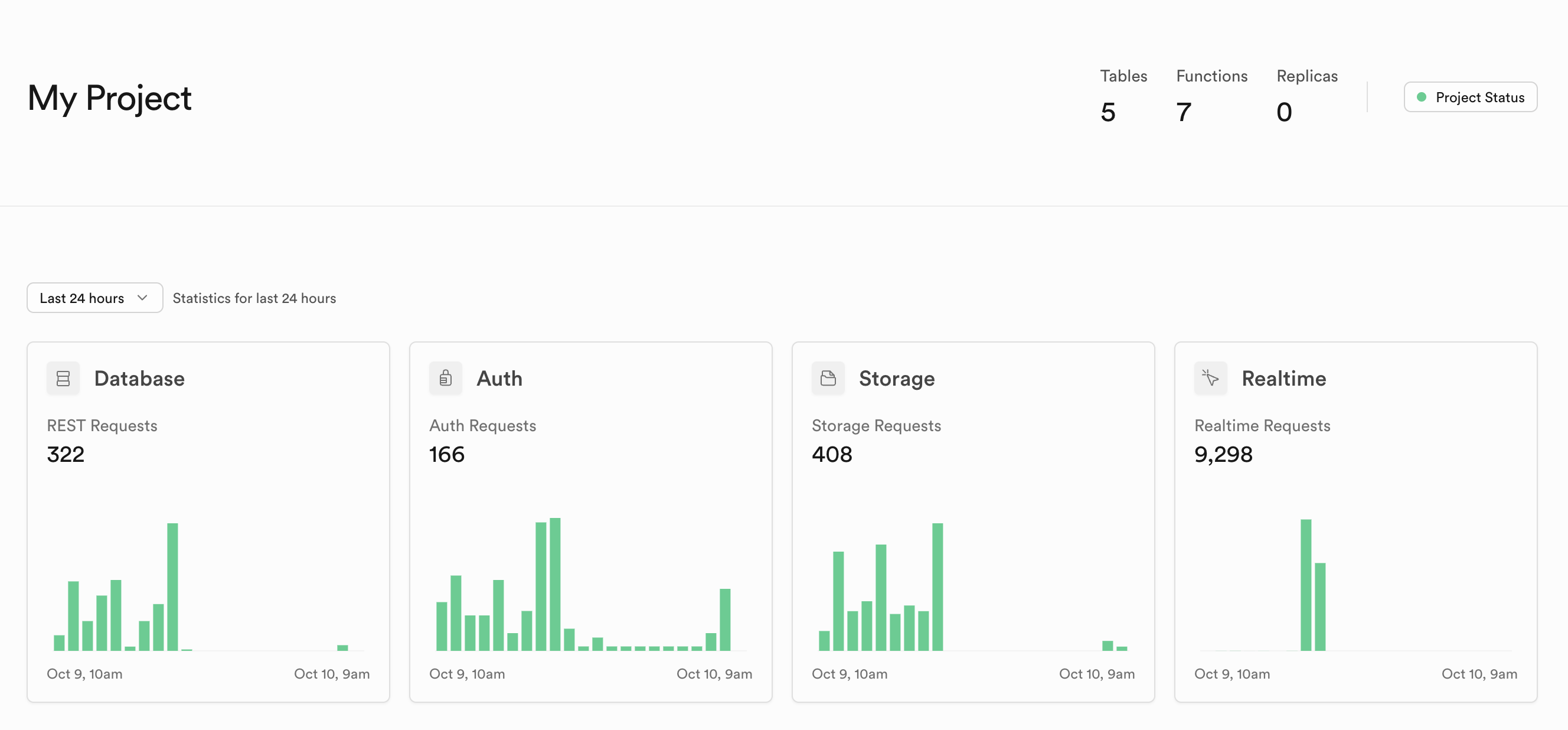
We'll create a simple project that adds rows to a Database in your backend. First, let's create a new database table for your project. To do this, open the Snap Cloud Dashboard by clicking the dashboard icon in the Supabase Plugin: 
This will open up your project's main dashboard page where you can monitor project activity and configure all aspects of your backend.
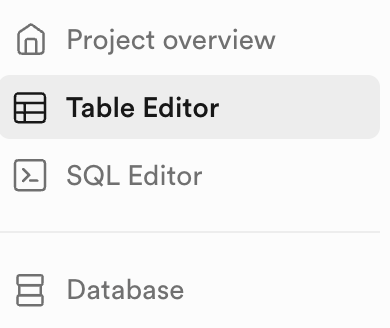
Let's create a new database table. On the left-hand sidebar, click on the Table Editor.
Next, click on the New Table button. Name your table test-table. Note the table by default has Row Level Security (RLS) enabled. This enables you to easily control access to specific table rows. In this case, we will restrict reads and writes by User ID, meaning a user can only read and write to their own rows.
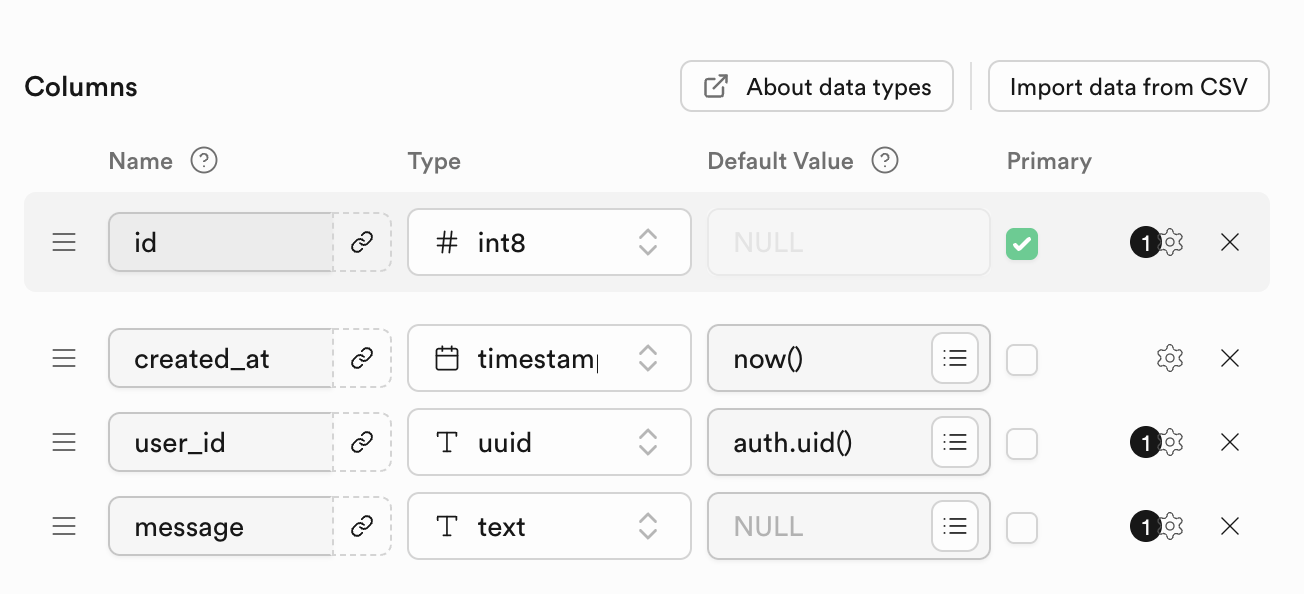
For our example table, add two additional columns using the Add Column button. First, add a column named user_id; set its type to uuid, and its default value to auth.uid. Next, add a column named message, and make it of type text. Your final configuration should look like the image below. Save the table.
Now that we have a table, we have to configure its access policies. In this example, let's setup our table so users can only insert data tied to their own user_id, and can only view data associated with their own user_id. To do this, go to your table in the Table Editor and click Add RLS policy, then click Create Policy. From the templates on the right, select Enable insert for users based on user_id, then click Save Policy.
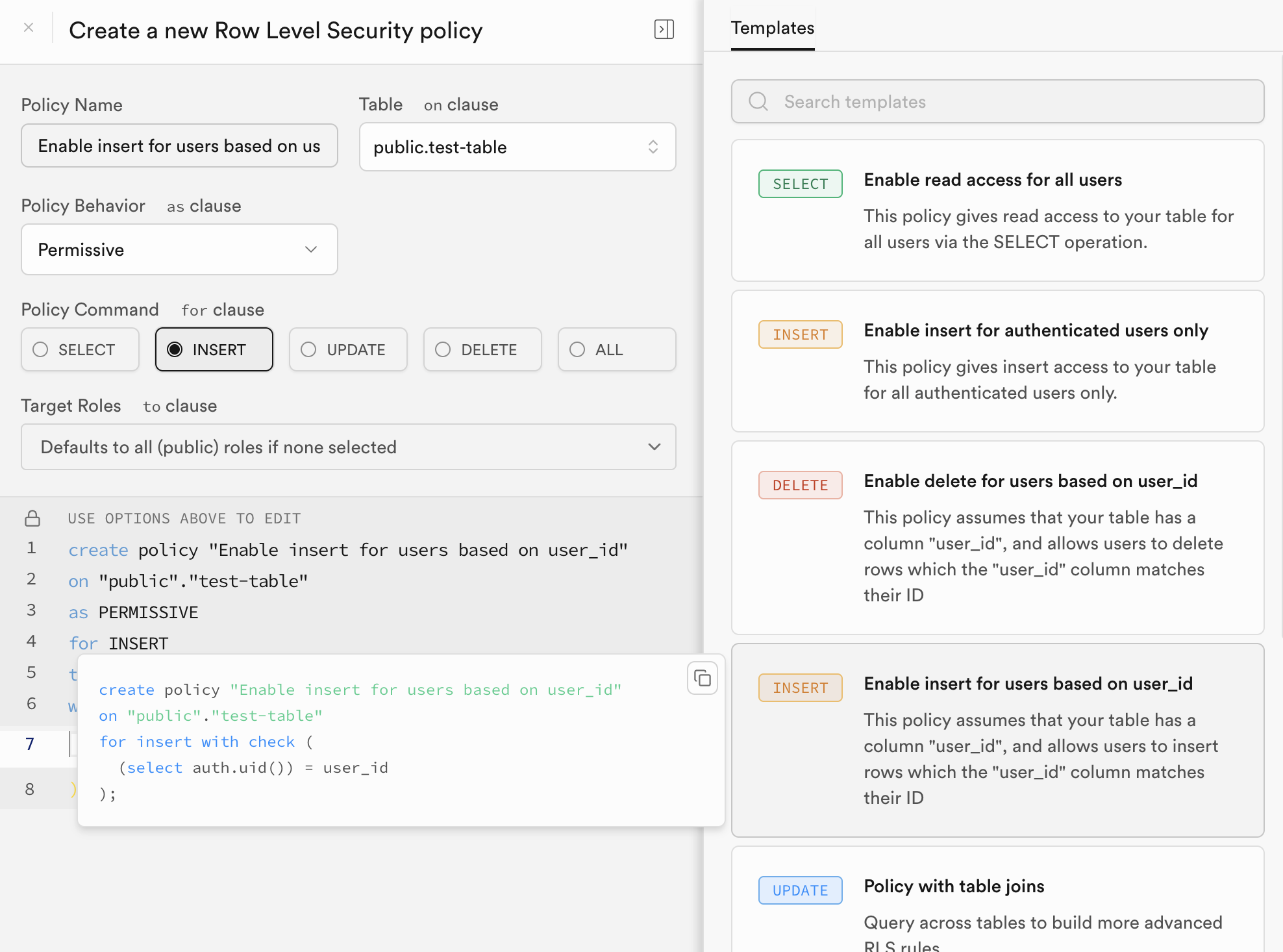
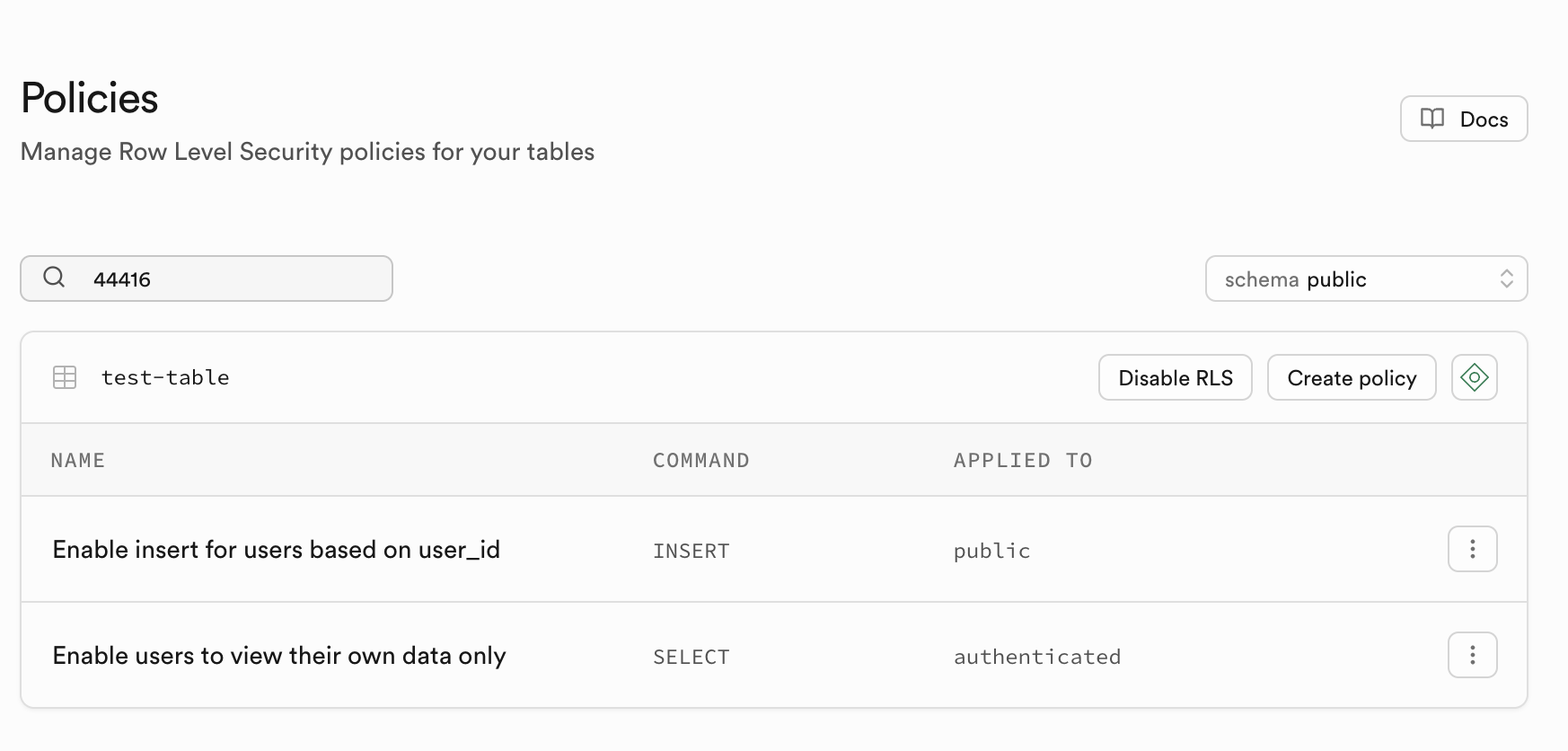
Next add an additional policy with the template Enable users to view their only data only. Your final list of policies should look as follows.
Access the Database
With the database configured, you can now interact with your database using the Supabase client. The following complete example demonstrates all common database operations: INSERT, SELECT, UPDATE, and DELETE.
This script builds upon the authentication setup from the Getting Started guide and shows how to perform CRUD (Create, Read, Update, Delete) operations on your database table.
- TypeScript
- JavaScript
import {
  createClient,
  SupabaseClient,
} from 'SupabaseClient.lspkg/supabase-snapcloud';

@component
export class DatabaseExample extends BaseScriptComponent {
  @input
  @hint('Supabase Project asset from Asset Browser')
  supabaseProject: SupabaseProject;

  @input
  @hint('Table name to use for database operations')
  tableName: string = 'test_table';

  private client: SupabaseClient;
  private uid: string;

  onAwake() {
    this.createEvent('OnStartEvent').bind(() => {
      this.onStart();
    });
  }

  onStart() {
    this.initSupabase();
  }

  async initSupabase() {
    this.log('Initializing Supabase client...');

    const options = {
      realtime: {
        heartbeatIntervalMs: 2500,
      },
    };

    this.client = createClient(
      this.supabaseProject.url,
      this.supabaseProject.publicToken,
      options
    );

    if (this.client) {
      this.log('Client created successfully');
      await this.signInUser();

      if (this.uid) {
        this.log('Running database examples...');
        await this.runDatabaseExamples();
      }
    }
  }

  async signInUser() {
    this.log('Signing in user...');

    const { data, error } = await this.client.auth.signInWithIdToken({
      provider: 'snapchat',
      token: '',
    });

    if (error) {
      this.log('Sign in error: ' + JSON.stringify(error));
    } else {
      const { user, session } = data;
      this.uid = JSON.stringify(user.id).replace(/^"(.*)"$/, '$1');
      this.log('User authenticated: ' + this.uid);
    }
  }

  async runDatabaseExamples() {
    this.log('--- DATABASE EXAMPLES START ---');

    await this.testInsert();

    await this.delay(500);
    await this.testSelect();

    await this.delay(500);
    await this.testUpdate();

    await this.delay(500);
    await this.testDelete();

    this.log('--- DATABASE EXAMPLES COMPLETE ---');
  }

  async testInsert() {
    this.log('Testing INSERT operation...');

    const testMessage = 'Hello Supabase DB ' + Date.now();

    const { data, error } = await this.client
      .from(this.tableName)
      .insert([
        {
          user_id: this.uid,
          message: testMessage,
        },
      ])
      .select();

    if (error) {
      this.log('INSERT FAILED: ' + JSON.stringify(error));
      return;
    }

    if (data && data.length > 0) {
      this.log('INSERT SUCCESS - ID: ' + data[0].id);
      this.log('Message: ' + data[0].message);
    } else {
      this.log('INSERT FAILED: No data returned');
    }
  }

  async testSelect() {
    this.log('Testing SELECT operation...');

    const { data, error } = await this.client
      .from(this.tableName)
      .select('*')
      .eq('user_id', this.uid)
      .limit(3);

    if (error) {
      this.log('SELECT FAILED: ' + JSON.stringify(error));
      return;
    }

    if (data && data.length > 0) {
      this.log('SELECT SUCCESS - Found ' + data.length + ' records');
      data.forEach((record, index) => {
        this.log('  Record ' + (index + 1) + ': ' + record.message);
      });
    } else {
      this.log('SELECT SUCCESS - No records found');
    }
  }

  async testUpdate() {
    this.log('Testing UPDATE operation...');

    const { data: selectData, error: selectError } = await this.client
      .from(this.tableName)
      .select('id')
      .eq('user_id', this.uid)
      .limit(1);

    if (selectError || !selectData || selectData.length === 0) {
      this.log('UPDATE SKIPPED: No records to update');
      return;
    }

    const recordId = selectData[0].id;
    const updatedMessage = 'Updated message ' + Date.now();

    const { data, error } = await this.client
      .from(this.tableName)
      .update({
        message: updatedMessage,
      })
      .eq('id', recordId)
      .select();

    if (error) {
      this.log('UPDATE FAILED: ' + JSON.stringify(error));
      return;
    }

    if (data && data.length > 0) {
      this.log('UPDATE SUCCESS - ID: ' + data[0].id);
      this.log('New message: ' + data[0].message);
    } else {
      this.log('UPDATE FAILED: No data returned');
    }
  }

  async testDelete() {
    this.log('Testing DELETE operation...');

    const { data: selectData, error: selectError } = await this.client
      .from(this.tableName)
      .select('id')
      .eq('user_id', this.uid)
      .limit(1);

    if (selectError || !selectData || selectData.length === 0) {
      this.log('DELETE SKIPPED: No records to delete');
      return;
    }

    const recordId = selectData[0].id;

    const { data, error } = await this.client
      .from(this.tableName)
      .delete()
      .eq('id', recordId)
      .select();

    if (error) {
      this.log('DELETE FAILED: ' + JSON.stringify(error));
      return;
    }

    if (data && data.length > 0) {
      this.log('DELETE SUCCESS - Deleted ID: ' + data[0].id);
    } else {
      this.log('DELETE FAILED: No data returned');
    }
  }

  private delay(ms: number): Promise<void> {
    return new Promise((resolve) => {
      const delayedEvent = this.createEvent('DelayedCallbackEvent');
      delayedEvent.bind(() => {
        resolve();
      });
      delayedEvent.reset(ms / 1000);
    });
  }

  onDestroy() {
    if (this.client) {
      this.client.removeAllChannels();
    }
  }

  private log(message: string) {
    print('[DatabaseExample] ' + message);
  }
}
// Import Supabase client
const createClient =
  require('SupabaseClient.lspkg/supabase-snapcloud').createClient;

//@input Asset.SupabaseProject supabaseProject {"hint":"Supabase Project asset from Asset Browser"}
//@input string tableName = "test_table" {"hint":"Table name to use for database operations"}

/**
 * Complete database operations example (JavaScript version)
 * Demonstrates INSERT, SELECT, UPDATE, DELETE operations
 */

var DatabaseExampleJS = function () {
  this.client = null;
  this.uid = null;

  this.onAwake = function () {
    script.createEvent('OnStartEvent').bind(() => {
      this.onStart();
    });
  };

  this.onStart = function () {
    this.initSupabase();
  };

  this.initSupabase = async function () {
    this.log('Initializing Supabase client...');

    const options = {
      realtime: {
        heartbeatIntervalMs: 2500,
      },
    };

    this.client = createClient(
      script.supabaseProject.url,
      script.supabaseProject.publicToken,
      options
    );

    if (this.client) {
      this.log('Client created successfully');
      await this.signInUser();

      if (this.uid) {
        this.log('Running database examples...');
        await this.runDatabaseExamples();
      }
    }
  };

  this.signInUser = async function () {
    this.log('Signing in user...');

    const { data, error } = await this.client.auth.signInWithIdToken({
      provider: 'snapchat',
      token: '',
    });

    if (error) {
      this.log('Sign in error: ' + JSON.stringify(error));
    } else {
      const user = data.user;
      const session = data.session;
      this.uid = JSON.stringify(user.id).replace(/^"(.*)"$/, '$1');
      this.log('User authenticated: ' + this.uid);
    }
  };

  this.runDatabaseExamples = async function () {
    this.log('--- DATABASE EXAMPLES START ---');

    await this.testInsert();

    await this.delay(500);
    await this.testSelect();

    await this.delay(500);
    await this.testUpdate();

    await this.delay(500);
    await this.testDelete();

    this.log('--- DATABASE EXAMPLES COMPLETE ---');
  };

  this.testInsert = async function () {
    this.log('Testing INSERT operation...');

    const testMessage = 'Hello Supabase DB ' + Date.now();

    const { data, error } = await this.client
      .from(script.tableName)
      .insert([
        {
          user_id: this.uid,
          message: testMessage,
        },
      ])
      .select();

    if (error) {
      this.log('INSERT FAILED: ' + JSON.stringify(error));
      return;
    }

    if (data && data.length > 0) {
      this.log('INSERT SUCCESS - ID: ' + data[0].id);
      this.log('Message: ' + data[0].message);
    } else {
      this.log('INSERT FAILED: No data returned');
    }
  };

  this.testSelect = async function () {
    this.log('Testing SELECT operation...');

    const { data, error } = await this.client
      .from(script.tableName)
      .select('*')
      .eq('user_id', this.uid)
      .limit(3);

    if (error) {
      this.log('SELECT FAILED: ' + JSON.stringify(error));
      return;
    }

    if (data && data.length > 0) {
      this.log('SELECT SUCCESS - Found ' + data.length + ' records');
      data.forEach((record, index) => {
        this.log('  Record ' + (index + 1) + ': ' + record.message);
      });
    } else {
      this.log('SELECT SUCCESS - No records found');
    }
  };

  this.testUpdate = async function () {
    this.log('Testing UPDATE operation...');

    const { data: selectData, error: selectError } = await this.client
      .from(script.tableName)
      .select('id')
      .eq('user_id', this.uid)
      .limit(1);

    if (selectError || !selectData || selectData.length === 0) {
      this.log('UPDATE SKIPPED: No records to update');
      return;
    }

    const recordId = selectData[0].id;
    const updatedMessage = 'Updated message ' + Date.now();

    const { data, error } = await this.client
      .from(script.tableName)
      .update({
        message: updatedMessage,
      })
      .eq('id', recordId)
      .select();

    if (error) {
      this.log('UPDATE FAILED: ' + JSON.stringify(error));
      return;
    }

    if (data && data.length > 0) {
      this.log('UPDATE SUCCESS - ID: ' + data[0].id);
      this.log('New message: ' + data[0].message);
    } else {
      this.log('UPDATE FAILED: No data returned');
    }
  };

  this.testDelete = async function () {
    this.log('Testing DELETE operation...');

    const { data: selectData, error: selectError } = await this.client
      .from(script.tableName)
      .select('id')
      .eq('user_id', this.uid)
      .limit(1);

    if (selectError || !selectData || selectData.length === 0) {
      this.log('DELETE SKIPPED: No records to delete');
      return;
    }

    const recordId = selectData[0].id;

    const { data, error } = await this.client
      .from(script.tableName)
      .delete()
      .eq('id', recordId)
      .select();

    if (error) {
      this.log('DELETE FAILED: ' + JSON.stringify(error));
      return;
    }

    if (data && data.length > 0) {
      this.log('DELETE SUCCESS - Deleted ID: ' + data[0].id);
    } else {
      this.log('DELETE FAILED: No data returned');
    }
  };

  this.delay = function (ms) {
    return new Promise((resolve) => {
      const delayedEvent = script.createEvent('DelayedCallbackEvent');
      delayedEvent.bind(() => {
        resolve();
      });
      delayedEvent.reset(ms / 1000);
    });
  };

  this.onDestroy = function () {
    if (this.client) {
      this.client.removeAllChannels();
    }
  };

  this.log = function (message) {
    print('[DatabaseExampleJS] ' + message);
  };
};

// Initialize and start the script
var instance = new DatabaseExampleJS();
instance.onAwake();
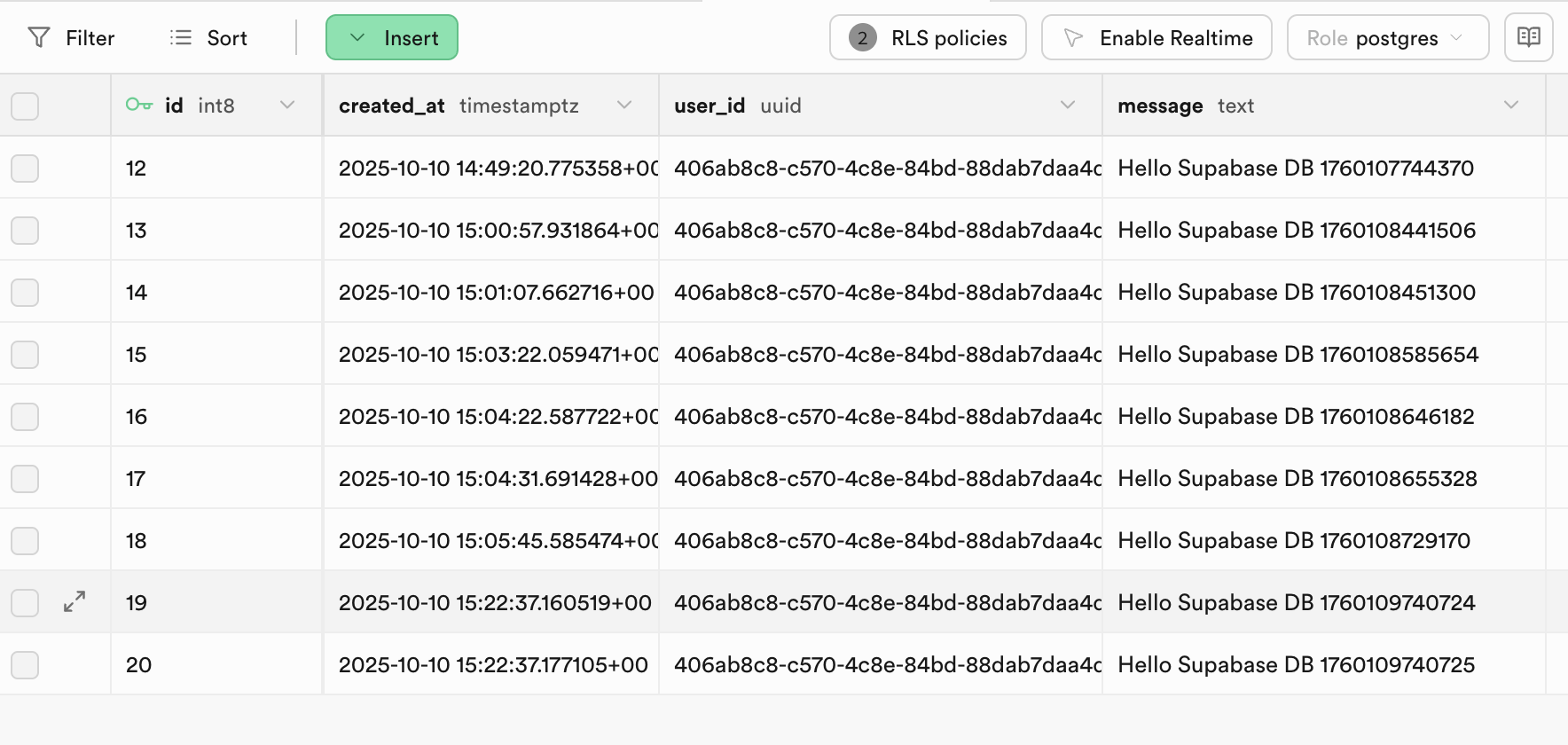
When you run this script, it will perform all four database operations sequentially and log the results. If you look at your table in the dashboard after running the Lens, you should see the data being inserted, updated, and deleted in real-time.
From here you can explore more database features, or move on to trying Edge Functions, Storage, or Realtime.
To see the full documentation for all you can do with Snap Cloud, refer to the Snap Cloud documentation site.