Color Correction plugin
Color Correction plugin lets you adjust color correction directly in Lens Studio with real-time preview, so you can refine the look of your Lens without exporting LUTs to external tools or building the setup manually outside the editor.
Installation
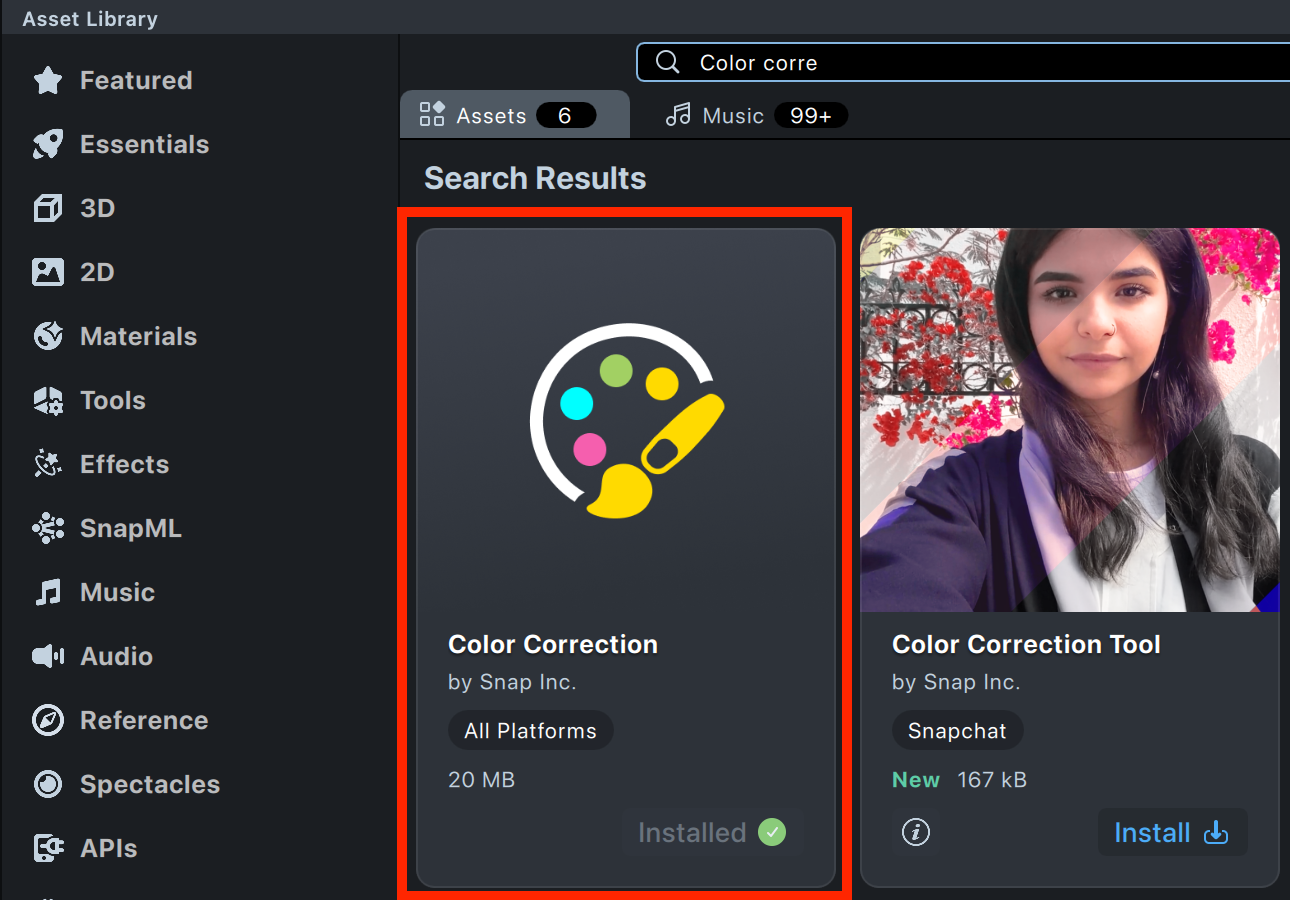
Before you begin, make sure you are using Lens Studio 5.20 or later. Then search for Color Correction in the Asset Library and install the plugin.
Entry Points
You can use Color Correction plugin in two ways:
- Add a custom color correction preset to your Lens as a new post effect.
- Edit a texture directly from the Asset Browser.
Add Custom Color Correction to a Lens
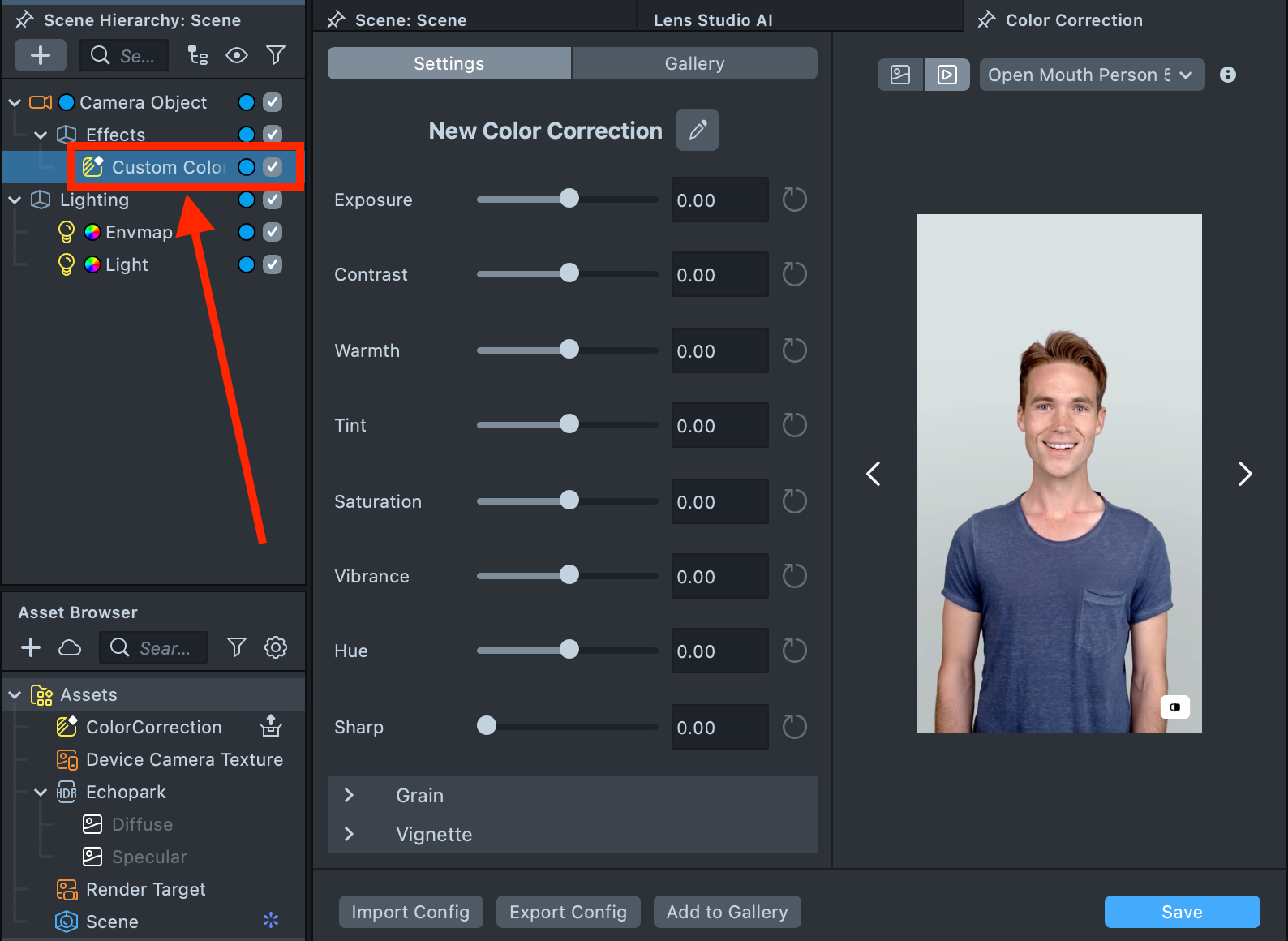
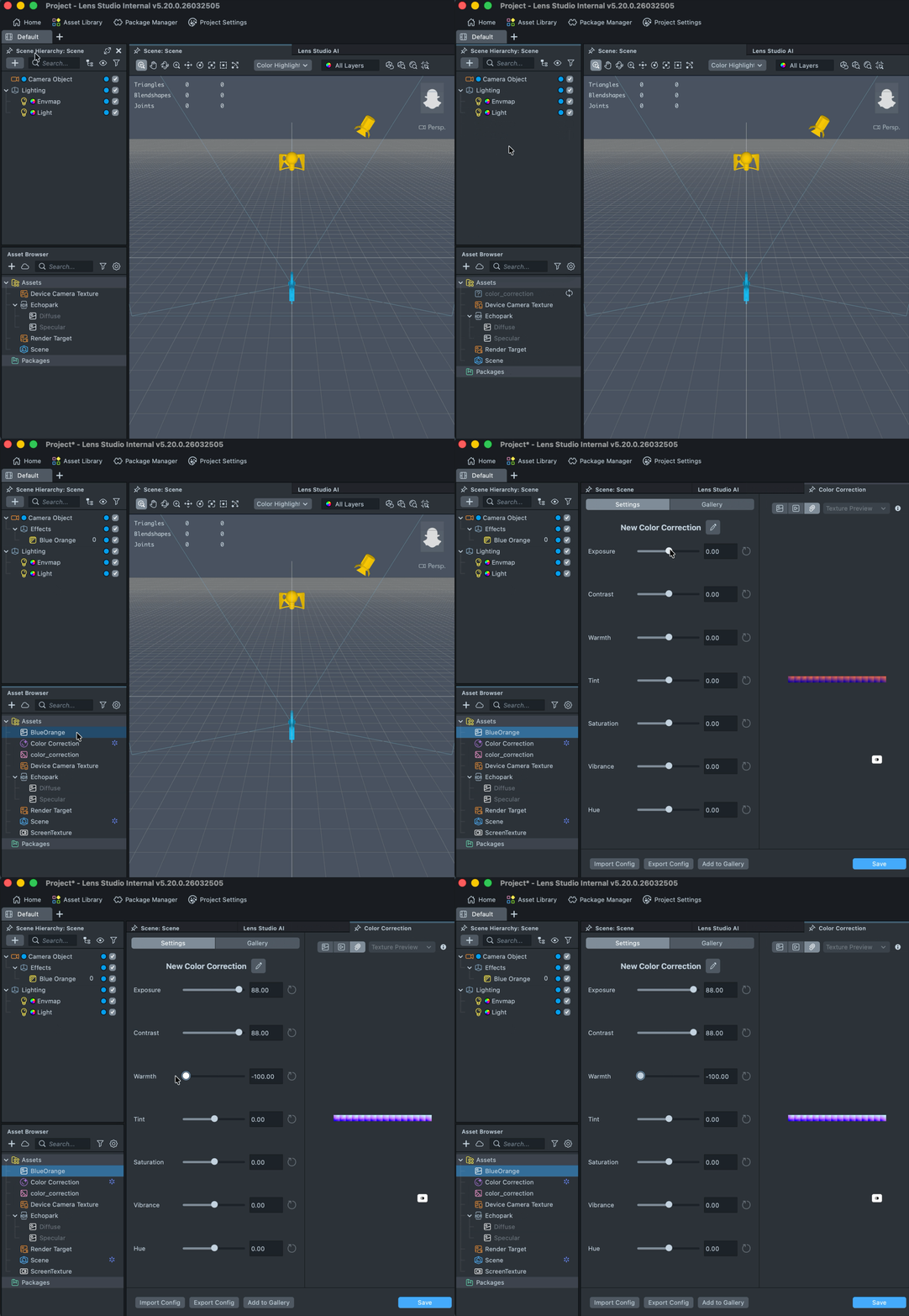
- In the Scene Hierarchy panel, click the
+button, go to the Color Correction section, and select Custom Color Correction.
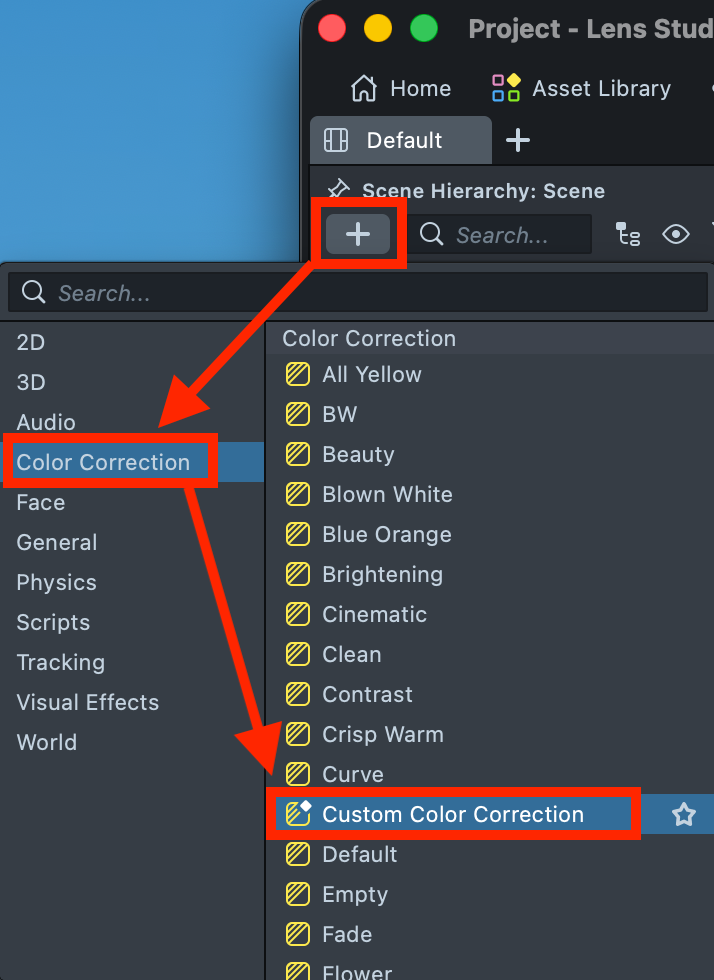
- Lens Studio adds a Custom Color Correction scene object. Double-click it to open the plugin window.
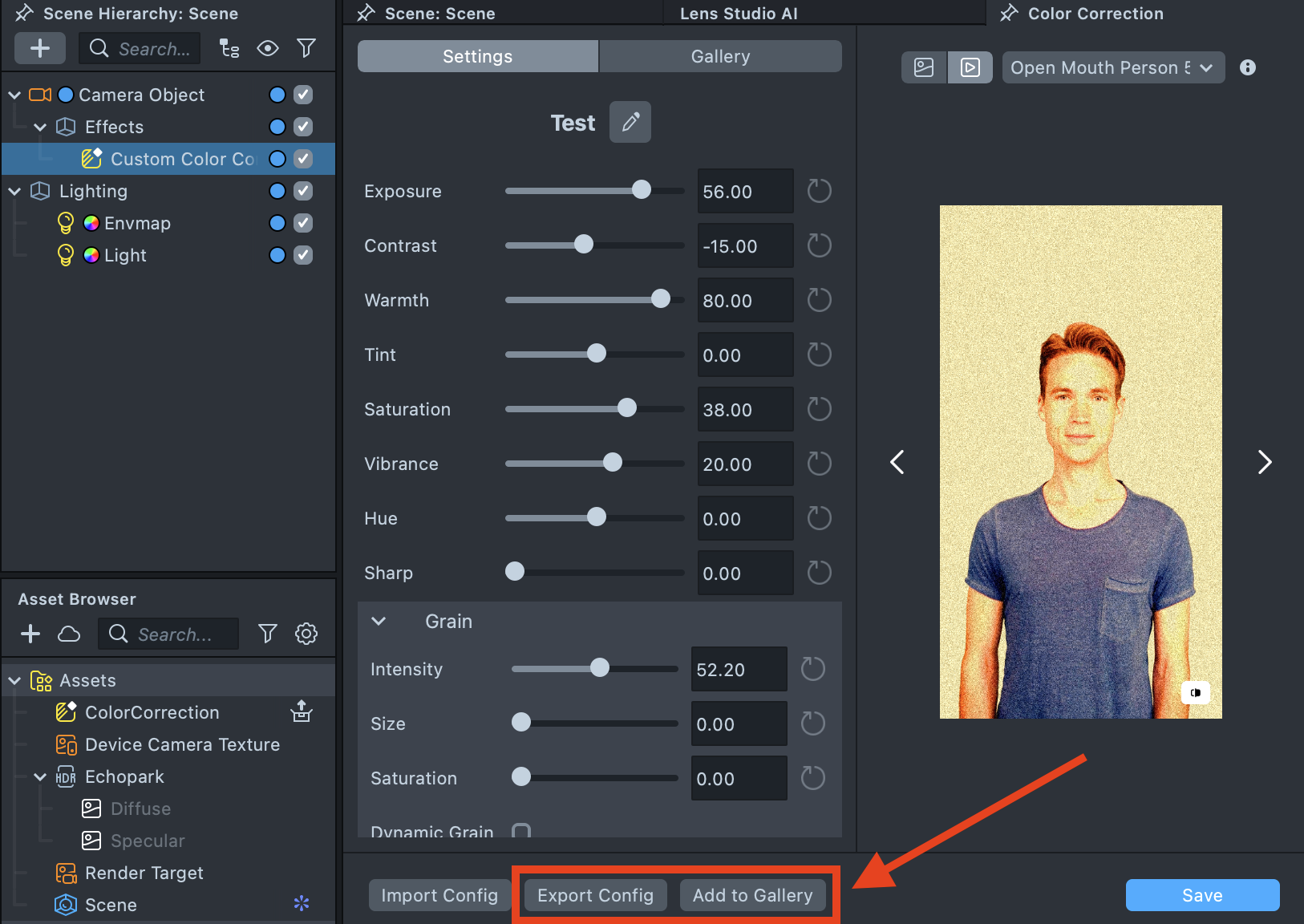
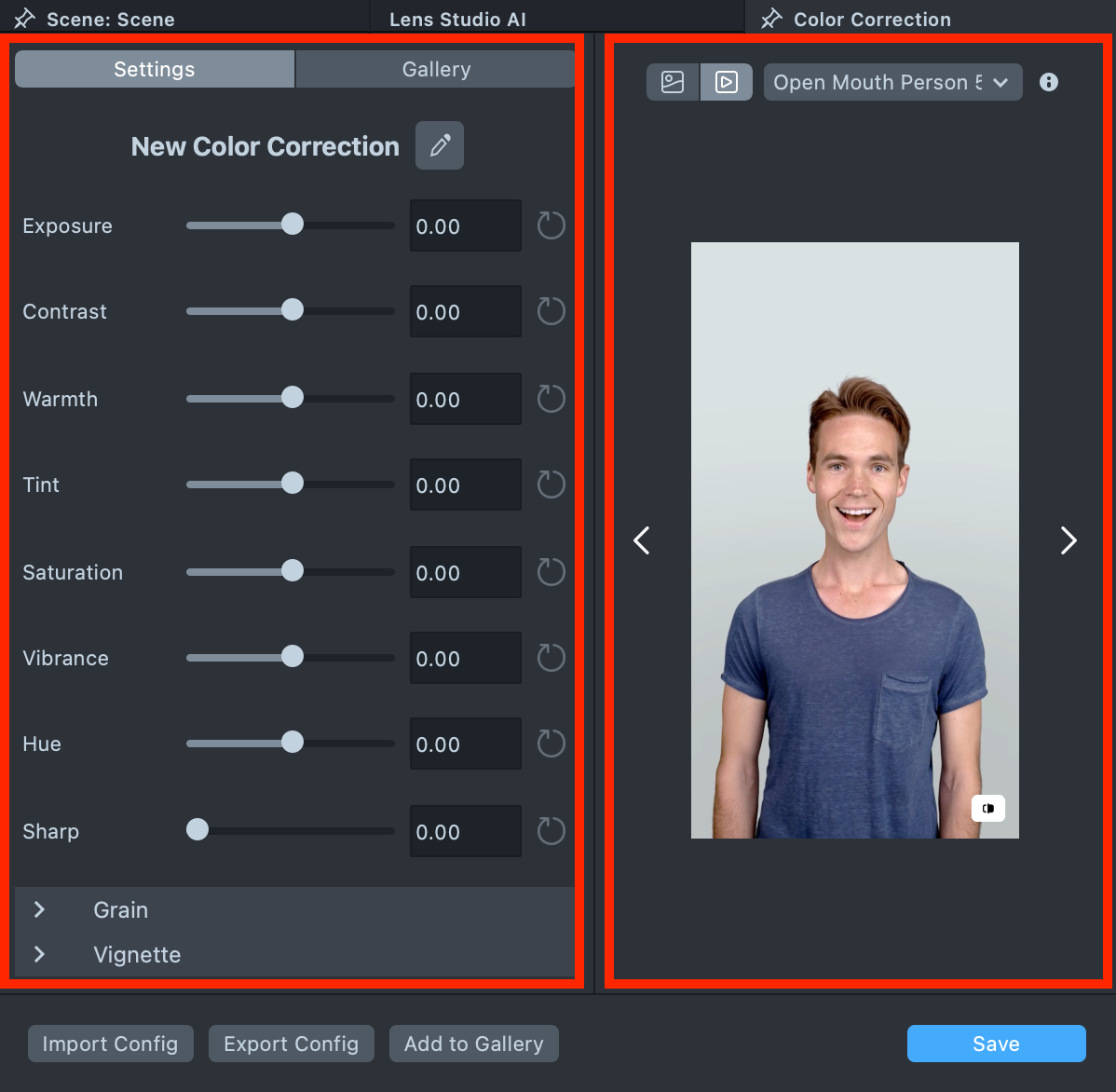
- The plugin window is divided into two sections: the left side contains Settings and the Gallery, while the right side shows the preview. The preview supports both Image and Video modes, allowing you to review the final result.
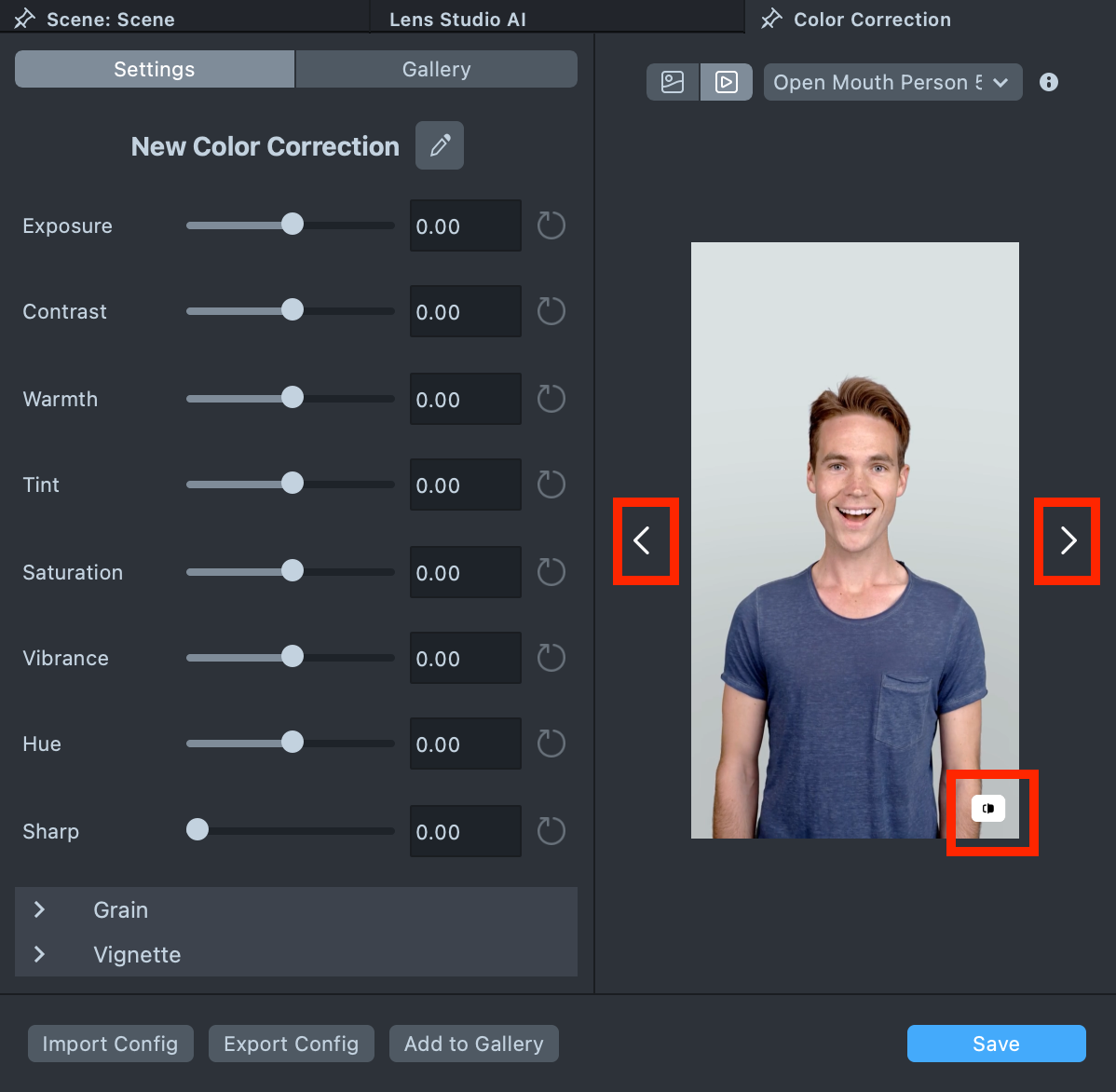
- You can cycle through different people using the arrow buttons. To compare your edit with the original, press and hold the button in the bottom-right corner to temporarily view the unedited version.
Edit a Texture
You can also apply Color Correction directly to a texture. To do this, double-click the texture in the Asset Browser. This opens the same editing window, where you can preview the result and fine-tune the texture before saving.
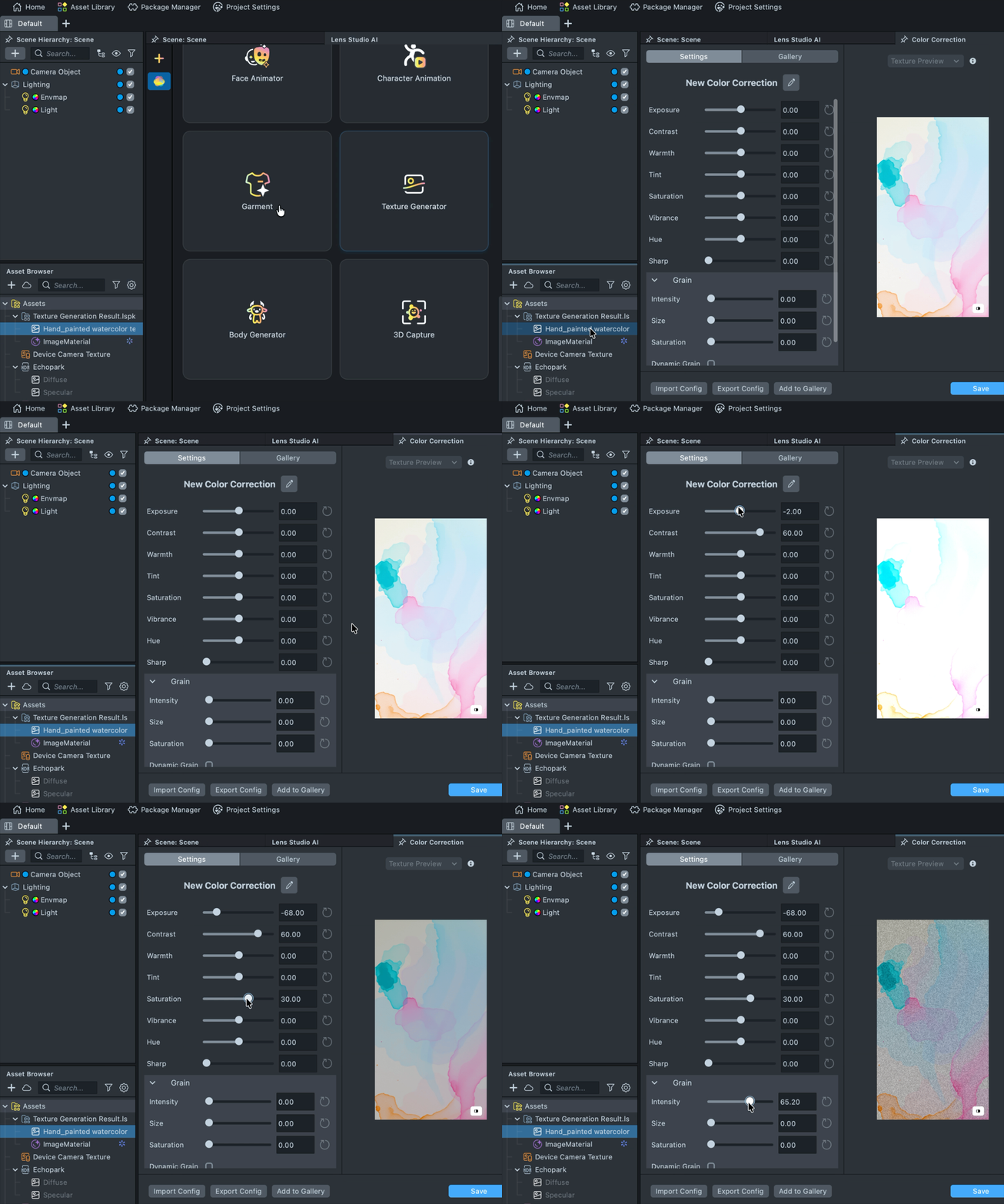
The same applies to LUT textures. Double-click a LUT texture to open and edit it in the Color Correction plugin.
Presets
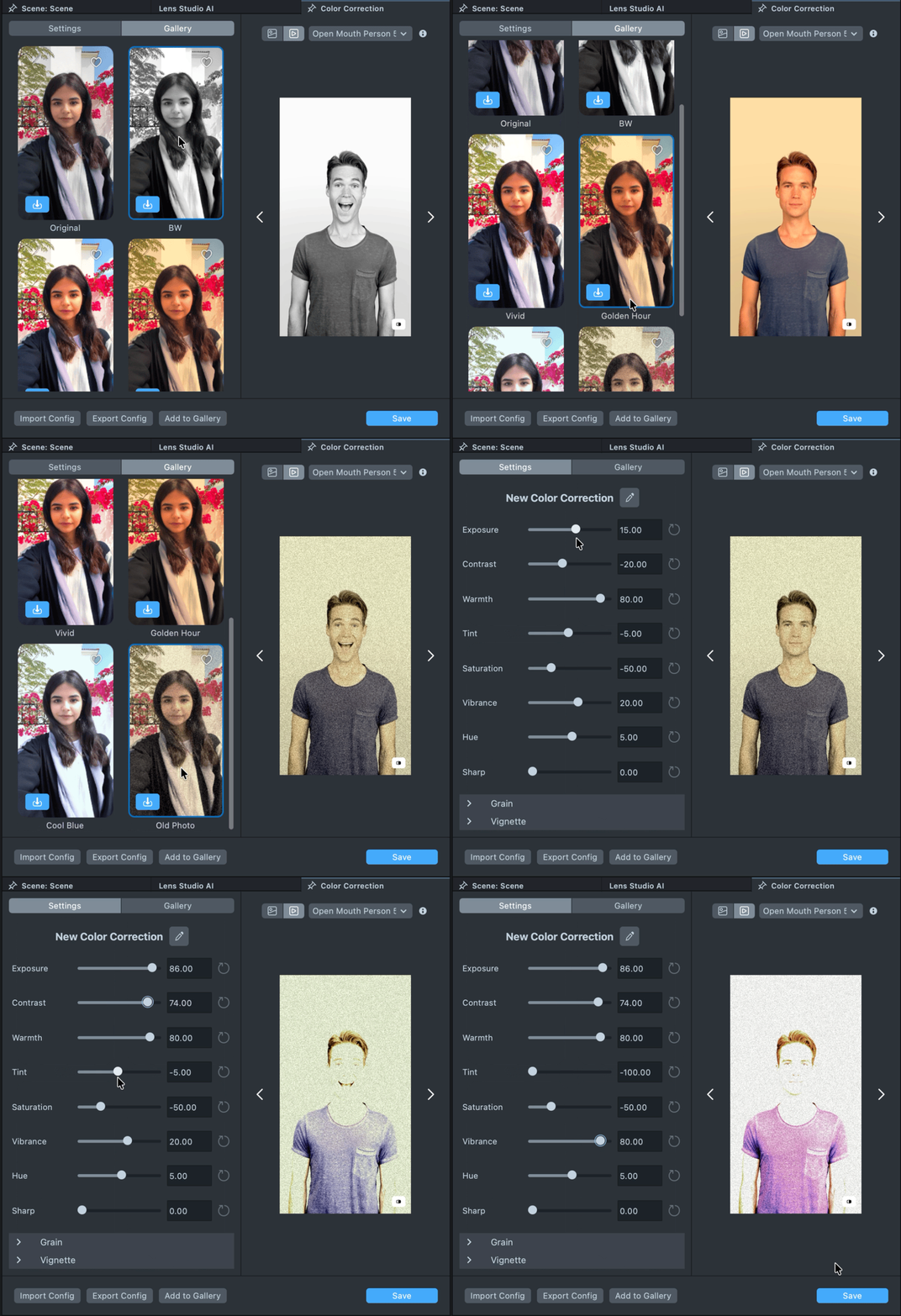
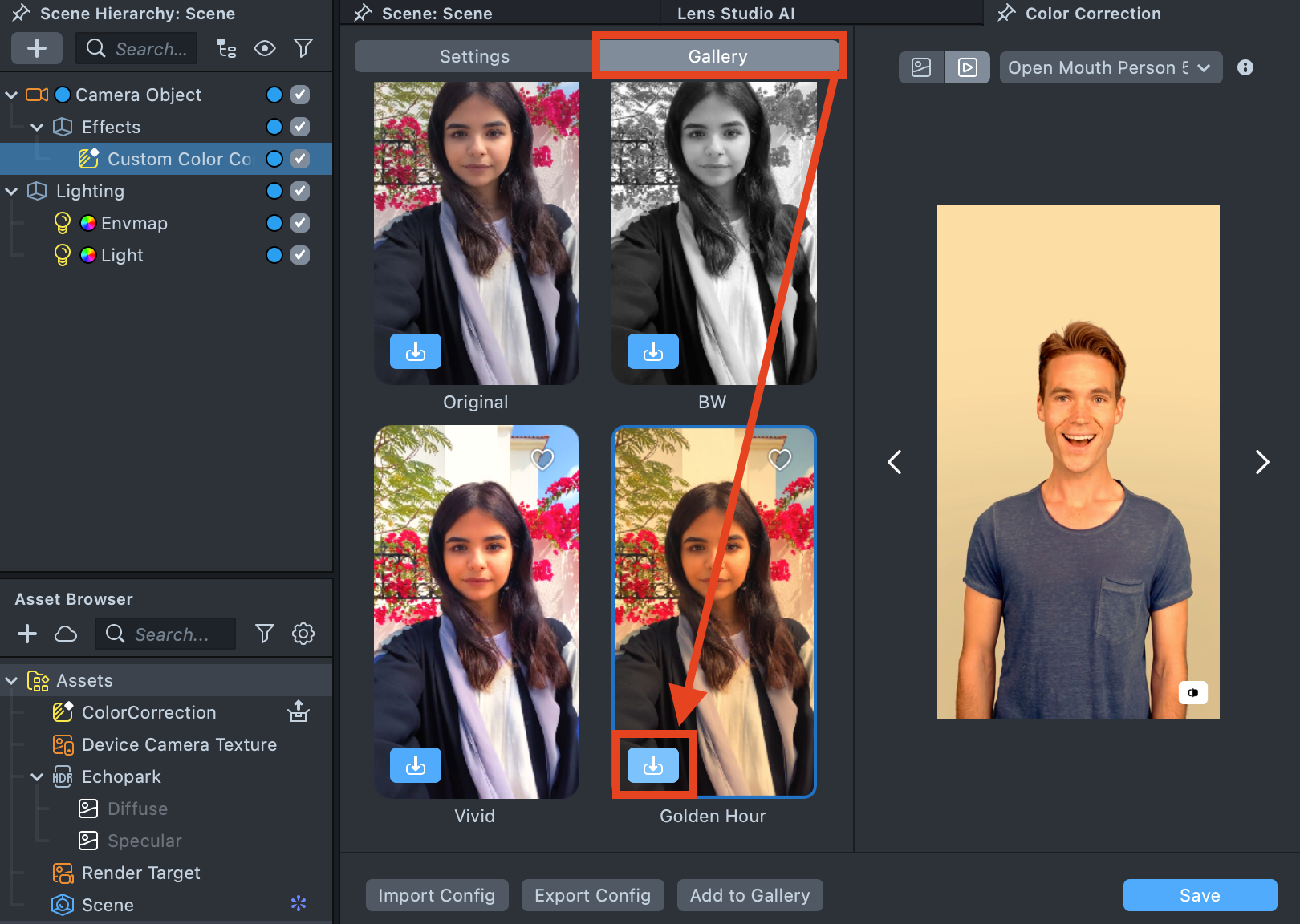
Color Correction plugin includes a set of built-in presets. Switch to the Gallery tab, find a suitable preset, and click Import on the effect tile.
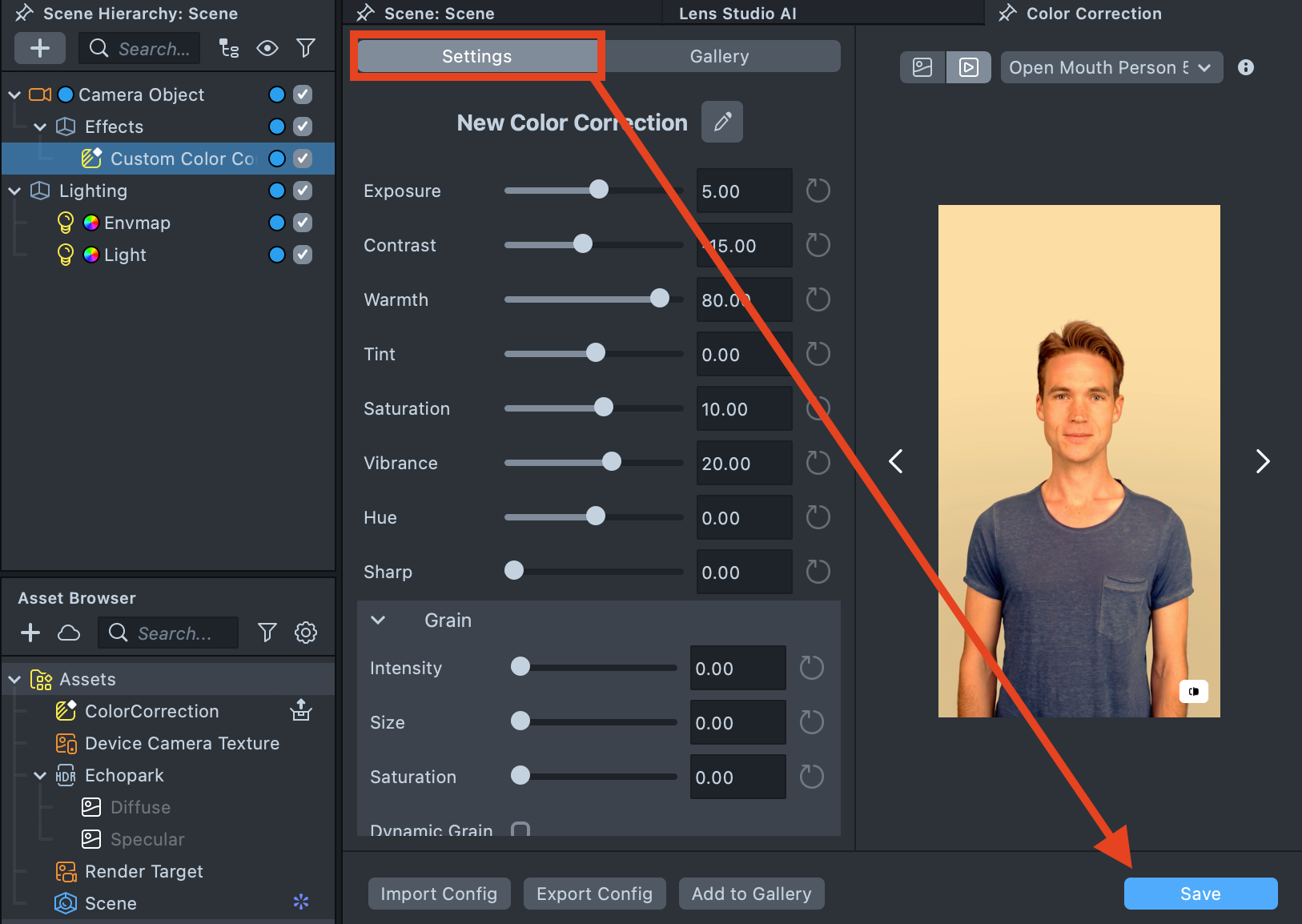
For more control, you can fine-tune the selected preset in the Settings tab.
Save and Reuse Your Work
When you finish editing, you can name your final version and click Add to Gallery to keep it handy, or Export Config to save the settings as a JSON configuration file and share them with colleagues.