Glam & Glitter Plugin
Glam & Glitter is your all-in-one cosmetics plugin! Effortlessly create unique aesthetic lenses by combining glamorous makeup, dazzling face gems, brilliant sparkles, beautiful hair decorations, and chic post effects – all in a simple and fun interface.
Glam & Glitter can be found on the Asset Library under Plugins.
Usage
If you already have a Glam & Glitter component in your scene, you can double click it to launch the plugin.
- Install the Glam & Glitter Plugin.
- Open the Glam & Glitter Plugin (
Window > Editors > Glam & Glitter). - Click the
+ Create Newbutton to add the Glam & Glitter component to your scene. - Play around! Edit the Gems, Makeup, Hair, Sparkles, and Post Effects.
- Once your happy with your lens, save your progress using the save button or by saving your project.
- Publish your lens!
Features
Gems
Quickly apply face gems by drawing or stamping. The gem tool supports drawing symmetrically and allows you to use up to 3 types of gems, which can each have their own size, shape, and color.
You can draw with a large brush to cover an area, or a tiny brush to paint one gem at a time. Advanced settings allow you to adjust the size and distribution of gems.
Makeup
Quickly put together a complete makeup look. Choose the shape and style from the gallery, then adjust the color directly from the plugin.
Glitter
In Lens Studio 5.17 and up, add an additional layer of sparkle to your makeup with glitter! The plugin provides a few presets as well as the ability to customize your glitter look.
Stickers
In Lens Studio 5.17 and up, use the upgraded sticker tools to add an extra dimension of color by painting makeup directly.
Hair
Add color and decorations to hair. Color can be a single tone, ombre gradient, or split color. Adjust the decorations type, size, color, and distribution.
This system advanced techniques and hair segmenation to automatically place decorations in the hair, accounting for a wide array of hair shapes and styles!
Environment
Environment controls let you add dynamic sparkles and VFX to your scene.
Sparkles
Control the shape, size, color, and intensity of sparkles. You can adjust the distribution to place sparkles on just gems or apply them to the entire lens.
VFX
Add a unique flare to your scene with VFX such as magic, snow, hearts, and fireworks. Additional settings control how VFX interact with the rest of the lens, such as background darkening.
Post-Effects
Quickly adjust a variety of common post effects, including:
- Color Correction, with controls for type, intensity, and tint.
- Beautifying effects, such Pop, Rosy Cheeks, and Retouch.
- Camera Zoom
- Image Sharpening
- Glow
Resources
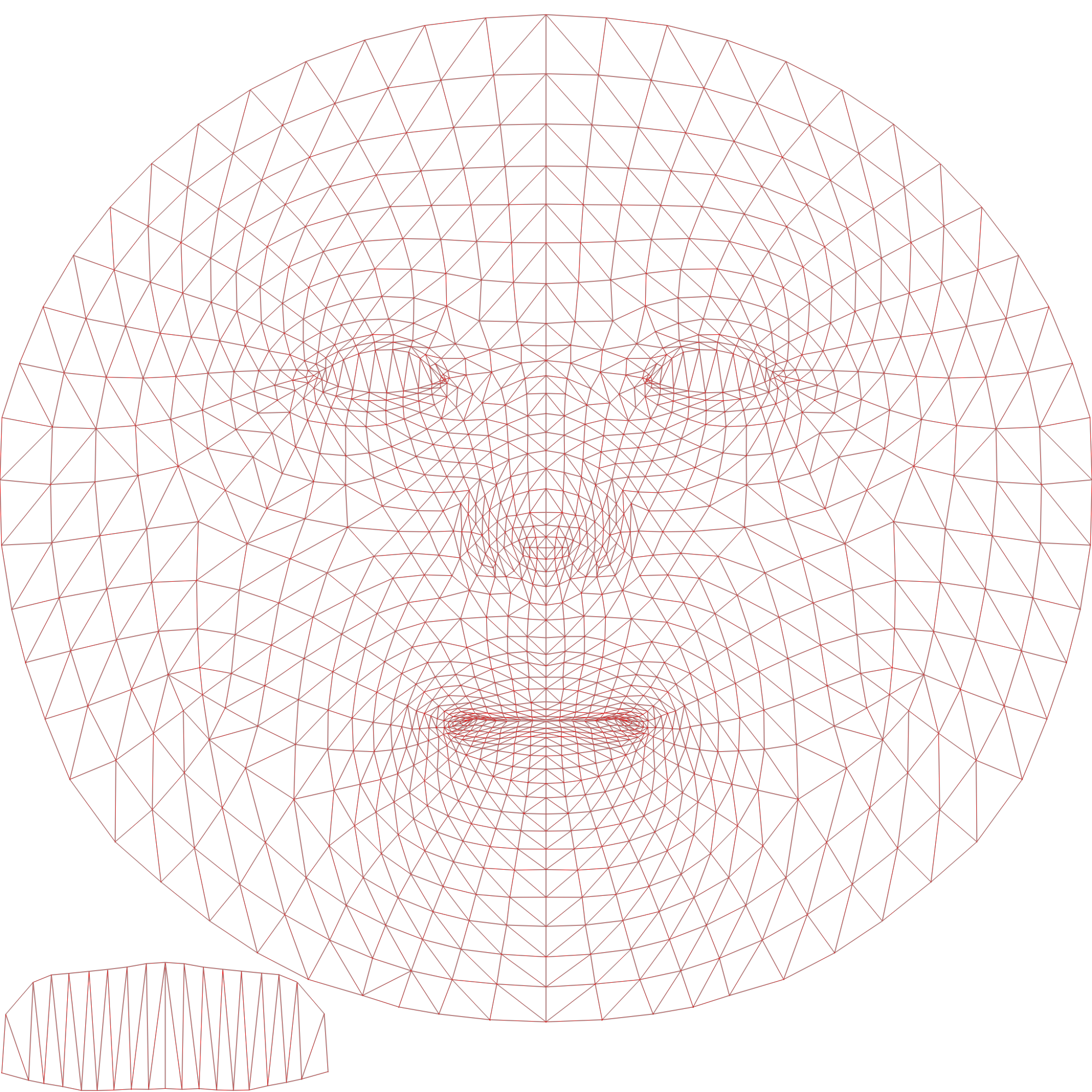
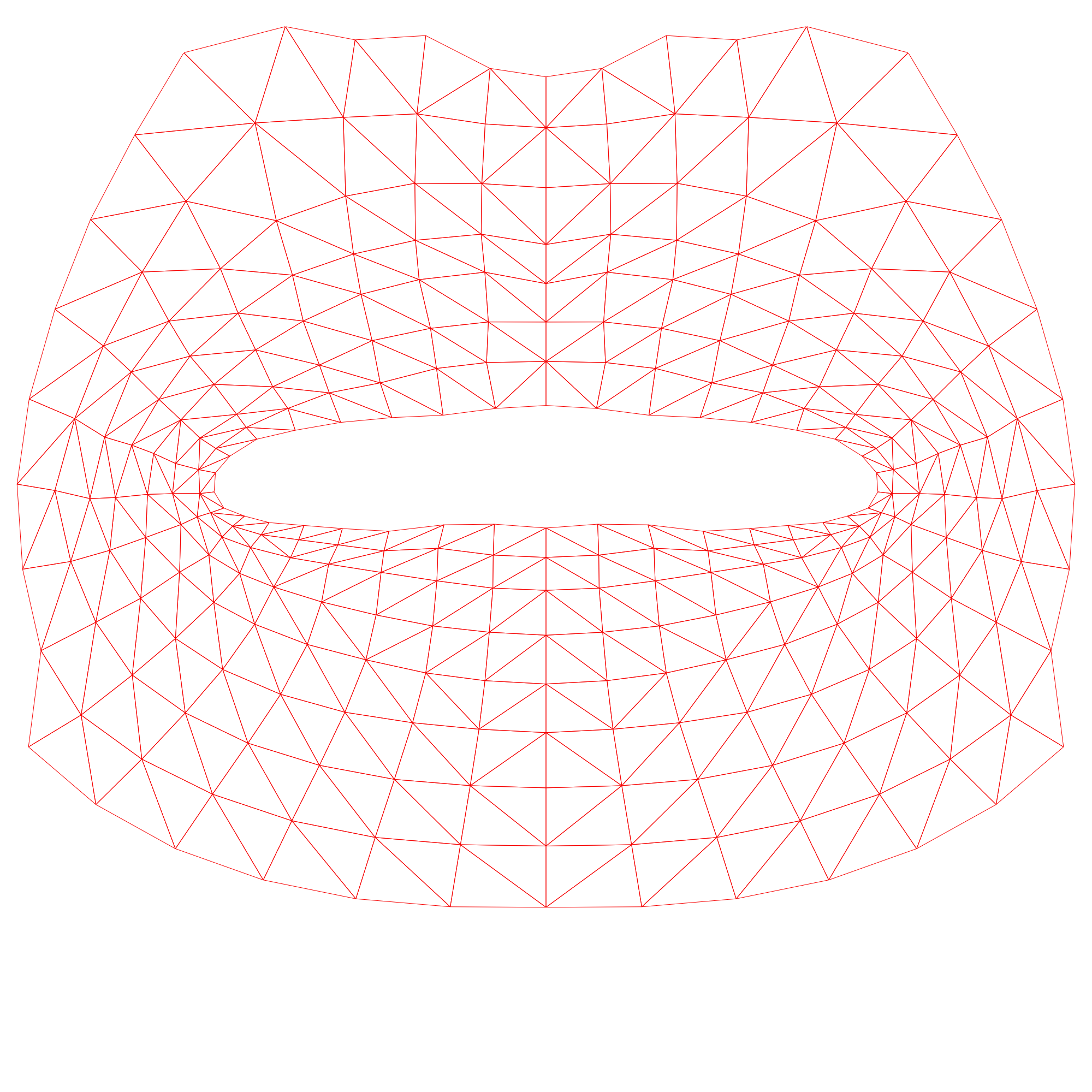
UV Maps for Makeup Textures
Makeup uses separate UV maps for different areas of the face, including the lips, eyes, and cheeks. Starting from Lens Studio 5.17 and above, you can upload your own custom textures. Use the UV textures below as a visual guide when creating your own. They show how makeup textures wrap around the Face Mesh, helping you align details accurately.
- Face UV For Blush: Download Face UV Texture Reference
-
Eye UV For Eyeshadow And Eyeliner: Download Eye UV Texture Reference

-
Mouth UV For Lips: Download Mouth UV Texture Reference
Tips & Tricks
-
Use Presets: The preset system provides excellent starting points for various effects.
-
Combine with Other Objects: Other objects and effects can be added to the scene as usual alongside Glam & Glitter.
-
Toggle Features: Each individual feature can be toggled on or off. If there is a feature you aren't using, you can disable it using the toggle to optimize performance.
By default, advanced rendering techniques render before the default layer; all post effects, including sparkles, render after.
Troubleshooting
- Only one instance of Glam and Glitter is supported at a time. If you have more than one Glam and Glitter component in your scene, only the first one will be used.