Nodes > Functions > Sample > Texture 2D Sample
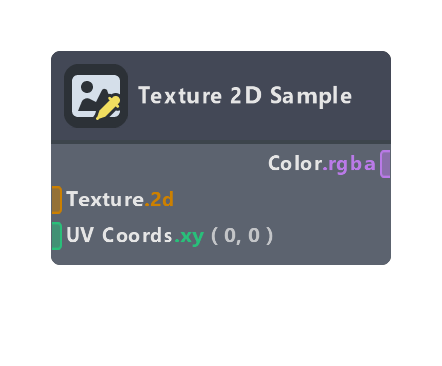
Returns the pixel value of a Texture object at the given coordinates.
Inputs
| Name | Type | Description |
|---|---|---|
| Texture | tex2D | Texture object to sample |
| UV Coords | float | Coordinates to sample the texture at. Range is 0-1, but values outside this range may work depending on the texture wrap mode |
| LOD | float | Which LOD level to sample from. Only works if Mipmaps are enabled in the texture parameters in the material inspector |
Outputs
| Name | Type | Description |
|---|---|---|
| Color | float | Sampled color value |
Properties
| Name | Type | Description |
|---|---|---|
| Type | dropdown | If Normal Map is selected, the values will be remapped from [0 -> 1] to [-1 -> 1], which is more suitable for normal map textures |
| Depth Space | dropdown | When Depth Map is enabled on the incoming Texture 2d Object Parameter node, this selects the space and value range of the sampled depth value |
| Coords | dropdown | Choose what source to use for the UV Coordinates. If "UV Coord 0" or "UV1 Coord 1" are selected, the respective surface UV set will be used. If "Custom" is selected, the UV Coords input will be exposed and used instead |
| LOD Mode | dropdown | If set to "Auto", LOD will be handled automatically. If set to "Custom", the LOD input will be exposed and used instead |
Was this page helpful?