Nodes > Particles > Particle ( Modify Attribute )
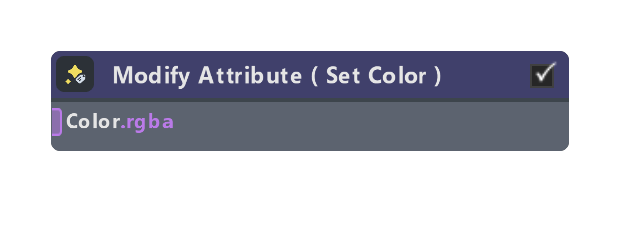
Modifies particle attributes. Use the Attribute dropdown to select which attribute to modify, and the Operation dropdown to determine how the value is applied.
The particle attributes available from this node are:
- Position (vec3): the particle position
- Velocity (vec3): the particle velocity
- Life (float): the lifespan of the particle, in seconds
- Force (vec3): external force acting on the particle
- Mass (float): the mass of the particle
- Color (rgba): the color of the particle
- Size (float): the size of the particle
- Matrix (mat4): the particle transformation matrix
- Custom (user-defined): create a custom attribute with configurable name, channels, precision, and buffer capacity tracking
Check out the Getting and Setting Attributes for more information and migration tips.
Inputs
| Name | Type | Description |
|---|---|---|
| Color | float | Input value to use. This input depends on which attribute is selected: Position, Velocity, Life, Force, Mass, Color, Size, Matrix, or Custom. |
| Default | float | Default value for custom attributes when particles first spawn. Only visible when Attribute is set to Custom and the node is outside the Spawn container. |
| Rotation Matrix | matrix | Input value to use. Shows up when Matrix is selected. |
Properties
| Name | Type | Description |
|---|---|---|
| Attribute | dropdown | The particle attribute to modify. Options: Position, Velocity, Life, Force, Mass, Color, Size, Matrix, or Custom. The input port type and name will change based on the selected attribute. |
| Operation | dropdown | What operation to perform on the selected attribute. Set: overwrites the attribute with the input value. Add: adds the input value to the existing attribute. Multiply: multiplies the existing attribute by the input value. |
| Dynamic Enable | bool | Exposes the Enabled input port to dynamically toggle the node's operation at runtime. When enabled, the node only executes if the Enabled input is non-zero. |
| Access | dropdown | When using custom attributes, this option defines where the custom attribute can be accessed in the node graph. Local means the custom attribute can only be accessed in the same graph level as where it was created. For example, if the custom attribute was created inside a sub-graph, it can't be accessed outside the sub-graph. Global means the custom attribute can be accessed anywhere in the graph. Note that this increases the risk of potential attribute naming conflicts. |
| Name | string | Name of the custom attribute. If an attribute with this name already exists in the same scope, this node will reuse it instead of creating a new one. |
| Channels | dropdown | Number of channels for the custom attribute (1, 2, 3, or 4). Determines whether the attribute is a float, float2, float3, or float4. |
| Info | string | Displays status messages. Shows "Reusing existing attribute" when an attribute with the same name already exists, or "Disabled" when the node is disabled via checkbox. |
| Precision | dropdown | Precision format for custom attributes: Float 32 (full precision raw float32), Float 16 (half precision raw float16, default), or Normalized 8-bit (UNORM8, normalized 0-1 range). Higher precision uses more buffer capacity. |
| Buffer 1 | string | Displays Buffer 1 usage in bits (for example, "192/352 bits"). Buffer 1 has 352 bits total capacity. Shows combined usage of built-in and custom attributes. |
| Buffer 2 | string | Displays Buffer 2 usage when Buffer 1 is full (for example, "160/512 bits"). Buffer 2 has 512 bits total capacity. Shows ❌ warning if total usage exceeds 864 bits (352+512). |
Was this page helpful?